You've built something great. Now the hard part: getting people to find it among 4+ million apps competing for attention.
App Store Optimization isn't optional anymore. It's the difference between your app getting discovered organically or disappearing into the void. And for indie developers without enterprise marketing budgets, ASO is often the only sustainable path to growth.
ASO for indie developers is a different game than it is for a funded team with a marketing hire and an ad budget. This guide is built for the first case. It covers everything from fundamental keyword research to advanced tactics like Custom Product Pages and In-App Events, with no fluff and no theory-only advice. Just practical strategies that work in 2026, most of them free.
What You'll Learn
- How App Store and Google Play algorithms actually work
- A step-by-step keyword research methodology
- Metadata optimization for both stores
- Visual ASO: icons, screenshots, and videos that convert
- How to get more (and better) reviews
- Localization strategies that don't require a huge budget
- Advanced features most indies overlook
Why ASO Matters More Than Ever
Let's start with the numbers that should get your attention:
70%
of users find apps via search
65%
of downloads come from organic search
4M+
apps competing for attention
Search is how most users discover new apps. Not ads, not social media, not word of mouth. They open the App Store or Google Play, type what they're looking for, and pick from the results.
If you're not showing up in those results, you're invisible.
And here's what makes ASO particularly valuable for indie developers: it's compounding and cost-effective. Unlike paid ads where you pay for every install, ASO improvements keep working. A well-optimized listing generates organic downloads month after month without additional spend.
The Organic Advantage
Apps with strong ASO fundamentals generate up to 3x more organic downloads than those relying on paid campaigns alone. And organic users typically show higher retention and lifetime value.
Understanding How the Algorithms Work
Before optimizing anything, you need to understand what you're optimizing for. The App Store and Google Play use fundamentally different approaches to ranking apps.
App Store (iOS) Ranking Factors
Apple's algorithm is more opaque, but industry research has identified the key signals:
Primary factors:
- Keyword relevance, weighted heavily toward the Title, then the Subtitle, then the Keyword field
- Download velocity: how quickly you're gaining installs
- Conversion rate: the percentage of page visitors who install
- Ratings and reviews: both quantity and quality
- Engagement metrics: retention, session length, active users
Recent algorithm changes (2025-2026):
- Screenshot caption text is now indexed for search
- In-App Events influence keyword rankings
- Custom Product Pages can appear in organic search results
- AI-generated tags are being tested to auto-categorize apps
Google Play Ranking Factors
Google's approach is closer to traditional SEO, indexing more text content:
Primary factors:
- Keywords in Title, Short Description, and Long Description
- Download volume and velocity
- User ratings and review sentiment (reviews are fully indexed)
- Android Vitals: crash rate, ANR rate, battery usage
- Retention and engagement signals
- Backlinks from external websites (unique to Google Play)
Key Difference: Apple has a hidden 100-character keyword field. Google Play indexes your entire description. This fundamentally changes how you approach keyword optimization on each platform.
What Both Stores Care About
Regardless of platform, the algorithms are trying to answer one question: "Is this app worth recommending?"
They measure this through:
- Are users installing it? (download velocity)
- Are users keeping it? (retention)
- Are users happy with it? (ratings/reviews)
- Is it technically solid? (crash rates, performance)
- Is it relevant to the search? (keyword matching)
Optimize for actual user satisfaction, and the algorithms will reward you.
Keyword Research: The Foundation of ASO
Keywords determine whether your app appears when users search. Get this wrong, and nothing else matters.
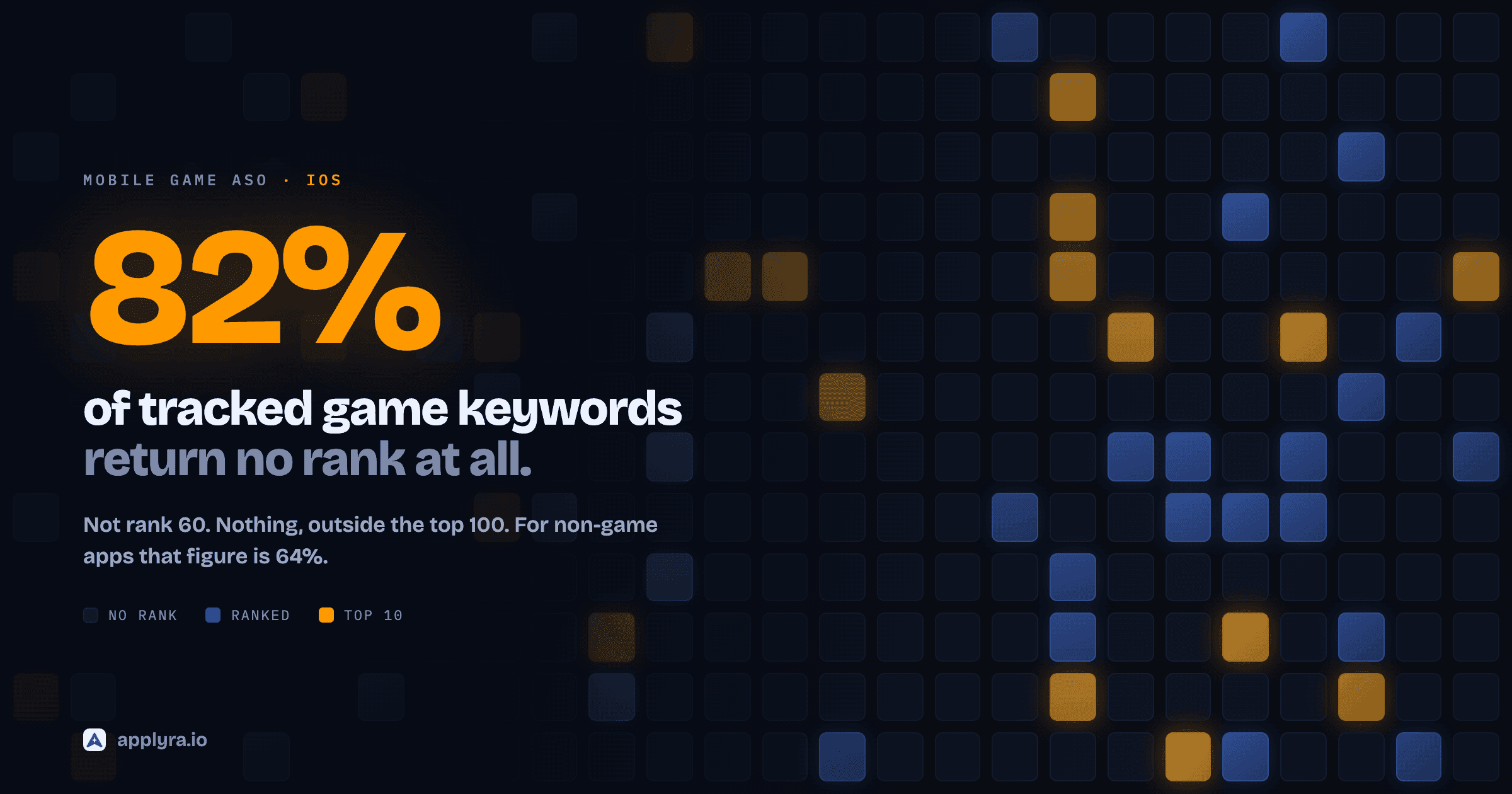
Two things worth knowing before you start. A keyword entering your title moves rankings on the first day, not in four to six weeks: across 918 measured listing changes it gained 22 positions on iOS by the first daily reading, which is 88 percent of everything it ever gained. You can iterate far faster than most advice suggests. And if you are shipping a game, the maths is different enough that game keywords need their own playbook.
Step 1: Brainstorm Your Seed Keywords
Start with the basics: what does your app do, and how would users describe it?
Think about:
- Core functionality: "habit tracker", "photo editor", "budget planner"
- Problems solved: "save money", "lose weight", "learn guitar"
- User goals: "get organized", "sleep better", "stay focused"
- Features: "offline sync", "dark mode", "widget support"
Pro Tip
Users search for solutions, not app names. "How do I track my habits" matters more than "habit tracker app". Think like your users, not like a developer.
Step 2: Analyze Your Competitors
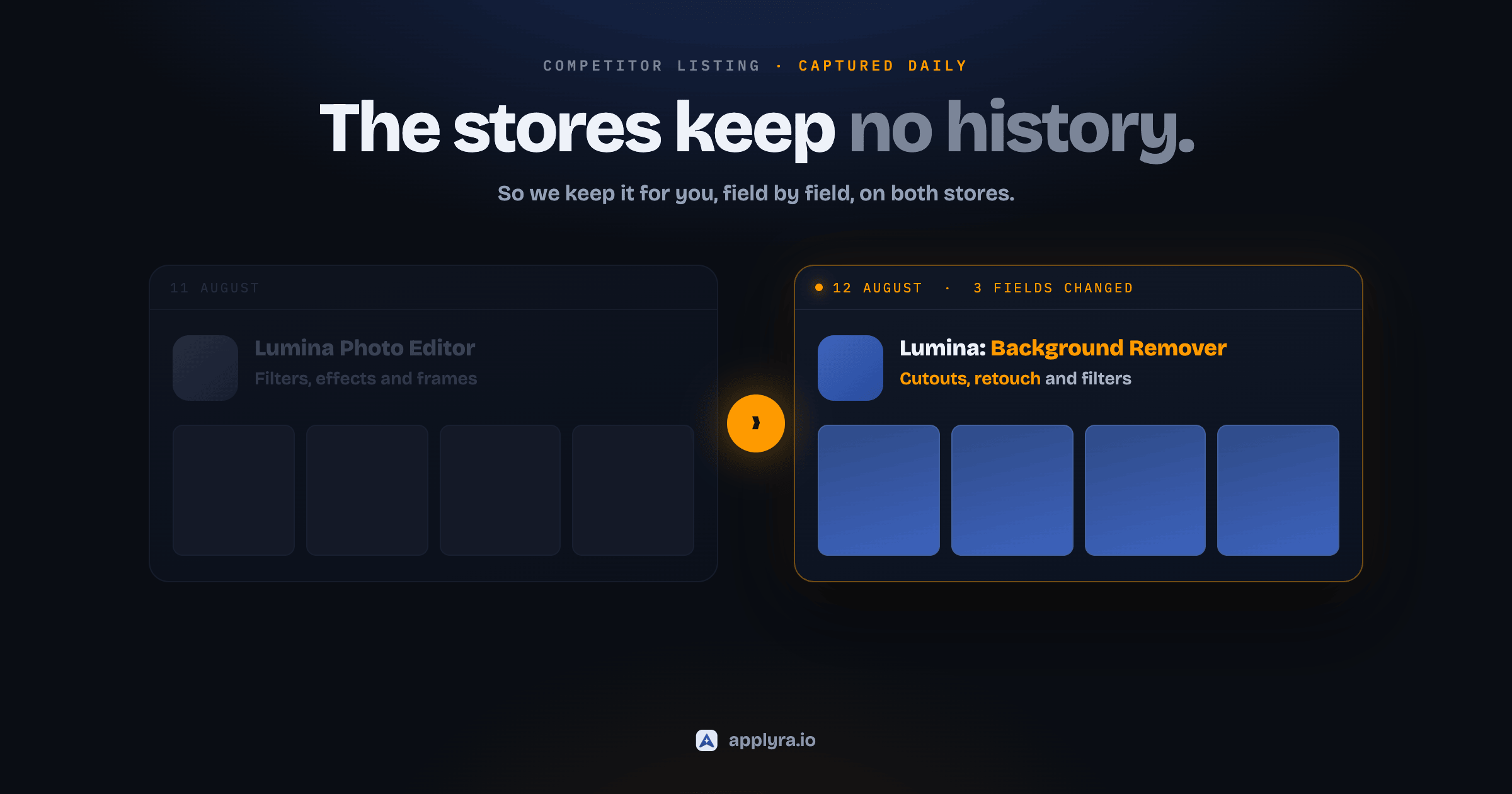
Your competitors have already done keyword research. Learn from them, and keep learning: their listing changes are the cheapest signal you will ever get, which is why it is worth tracking every change they ship.
For each top competitor in your category:
- What keywords appear in their title and subtitle?
- What phrases do they emphasize in their description?
- What keywords are they ranking for that you're not?
Use an ASO tool to see competitor keyword rankings, or manually analyze their metadata. The competitor finder surfaces the apps you actually compete with for a given app, free and without an account. Look for patterns across successful apps in your niche.
Step 3: Evaluate Keyword Potential
Not all keywords are equal. You need to balance:
Search Volume: How many users search for this term? Difficulty: How hard is it to rank in the top 10? Relevance: Does this keyword accurately describe your app?
The keyword difficulty tool gives you a traffic score and a difficulty rating for any keyword on both stores, free and without an account, so you can tell an opportunity from a wall before you commit metadata to it.
The Sweet Spot for Indies
High-volume keywords are dominated by established apps with millions of downloads. Focus on long-tail keywords, more specific phrases with lower competition. "Budget tracker for couples" is easier to win than "budget app".
That sweet spot is narrower than it sounds, and longer is not automatically better. Across 800,000 keyword-market pairs, about one single word in five is both winnable and searched enough to matter, against one in forty for three-word phrases on the App Store. Difficulty falls as you add words, but traffic falls faster. Check both numbers on every candidate instead of assuming the tail is free.
Step 4: Build Your Keyword Matrix
Organize your keywords by priority:
Tier 1: Brand + Core Function (Title) Your app name + primary keyword. This carries the most algorithmic weight.
Tier 2: High-Value Targets (Subtitle / Short Description) Keywords with the best volume-to-difficulty ratio that describe key features.
Tier 3: Supporting Keywords (Keyword Field / Long Description) Broader terms, synonyms, and long-tail variations.
Platform-Specific Keyword Rules
For App Store (iOS):
- Title: 30 characters max
- Subtitle: 30 characters max
- Keyword field: 100 characters (comma-separated, invisible to users)
- Don't repeat keywords across fields: Apple combines them automatically
- Avoid stop words like "the", "and", "app": they're indexed anyway
- Use singular forms; Apple recognizes plurals
For Google Play:
- Title: 30 characters max
- Short Description: 80 characters max
- Long Description: 4,000 characters max
- Every term your title and short description target should appear in the long description at least once
- No density figure to hit: repeating a term past the first mentions earns nothing
- Reviews are indexed, so user language matters
Metadata Optimization
With your keywords ready, it's time to write metadata that ranks and converts.
App Title
Your title is the most powerful ranking signal. It also appears everywhere: search results, top charts, home screens.
Best practices:
- Lead with your brand name if it's recognizable
- Include your primary keyword if space allows
- Keep it readable, don't sacrifice clarity for keywords
- Example: "Calm - Sleep & Meditation" or "Duolingo: Language Lessons"
| Feature | iOS App Store | Google Play |
|---|---|---|
| Title character limit | 30 characters | 30 characters |
| Keyword in title impact | Very High | Very High |
| Brand name requirement | No | No |
Subtitle (iOS) / Short Description (Google Play)
This is prime real estate for your secondary keywords and value proposition.
iOS Subtitle:
- 30 characters max
- Appears below title in search results
- Include keywords that didn't fit in the title
- Example: "Daily Habits & Goal Tracker"
Google Play Short Description:
- 80 characters max
- First text users see on your listing
- Balance keywords with a compelling hook
- Example: "Build better habits. Track progress. Achieve your goals."
Full Description
On iOS, the description isn't indexed for search, it's purely for conversion. On Google Play, it's both a ranking factor and a sales pitch.
iOS Description Strategy:
- Focus on benefits, not features
- Lead with your strongest value proposition
- Use formatting for readability (but sparingly)
- Include social proof: awards, press mentions, user numbers
- End with a clear call to action
Google Play Description Strategy:
- Include primary keywords in the first 1-2 sentences
- Work every term your title and short description target into real sentences, at least once each
- Ignore density percentages: what counts is whether each term is in there, not how often
- Cover features, benefits, and differentiators
- Use line breaks and spacing for mobile readability
The density point deserves a paragraph of its own, because "aim for 2%" advice is everywhere and there is no percentage to aim at. Applyra grades this field on coverage: it checks whether the terms your title and short description are targeting actually turn up in the long description, and it flags the field only when one single word starts dominating the text, which earns nothing and makes the page harder to read. Write the sentences a human would read, make sure every target term is in one of them, and stop counting.
Keyword Field (iOS Only)
You have 100 characters to capture additional search terms. Make every character count. It really is 100 characters and not 100 bytes, whatever Apple's help page says, and non-Latin scripts get the same 100. The character limits reference has the evidence and a counter for every field.
Keep it in proportion, though. This field holds ground rather than taking it. In 918 measured listing changes, a keyword entering the keyword field moved its rank by under one position, against 22 for a keyword entering the title. Take one out and it costs about 12 positions, and its top-10 rate goes from 6.1 percent to nothing. So fill all 100 characters, every time: it is free reach for terms that will never fit in a 30-character title, and it costs you ten minutes in App Store Connect. Just don't expect it to rescue a title and subtitle that say nothing.
Rules:
- Separate keywords with commas (no spaces after commas)
- Don't repeat words from your title or subtitle
- Use singular forms
- Skip articles and prepositions
- Don't include competitor names (against guidelines)
- Include common misspellings if relevant
Example:
habit,tracker,routine,daily,goals,streak,reminder,motivation,productivity,wellness
Visual ASO: Convert Browsers to Downloaders
Your visuals are where conversion happens. Users decide to download based on what they see in about 7 seconds.
App Icon
Your icon appears everywhere and makes the first impression. A well-optimized icon can increase conversion by 20-30%.
Icon Best Practices
Do:
- Use a single, recognizable element
- Ensure visibility at small sizes (29x29 px)
- Choose colors that stand out in your category
- Test in both light and dark mode
- Keep it simple: avoid text and fine details
Don't:
- Cram multiple elements together
- Use text (unreadable at small sizes)
- Copy competitor styles too closely
- Change it frequently (hurts recognition)
Technical requirements:
- iOS: 1024x1024 px, PNG, no transparency, no rounded corners (system applies them)
- Google Play: 512x512 px, PNG or JPEG, full-bleed design
Screenshots
Screenshots are your conversion engine. They need to communicate value instantly.
The First Three Rule: On iOS, the first three screenshots appear in search results. On Google Play, users see them on your listing page. These three images carry most of the conversion weight.
Screenshot Strategy:
-
Screenshot 1: Value Promise What does the user get? Lead with your strongest benefit.
-
Screenshot 2: Core Feature Show the app in action. Demonstrate the main functionality.
-
Screenshot 3: Trust Builder Social proof, awards, key differentiator, or secondary feature.
-
Screenshots 4-10: Feature Tour Cover remaining features, use cases, and benefits.
Design Tips:
- Use device frames consistently
- Add captions that emphasize benefits, not features
- Keep text large enough to read on small screens
- Use your brand colors for recognition
- Show realistic, appealing UI states
- Consider a "continuous" design that flows across screenshots
60-70%
of install decisions based on visuals
20-35%
conversion lift from optimized screenshots
7 sec
average time users spend deciding
App Preview Video
Video can boost conversion significantly but requires more investment to get right.
iOS App Preview:
- 15-30 seconds max
- Must show actual in-app footage (no stock, no hands)
- Auto-plays muted in search results
- Poster frame (thumbnail) is crucial, it's what users see first
Google Play Promo Video:
- Hosted on YouTube (landscape only)
- First 30 seconds can auto-play
- More flexibility in content than iOS
- Use it to tell a story, not just demo features
Should You Create a Video?
Video is high-effort. For most indie developers, optimizing screenshots delivers better ROI. Consider video once your screenshots are performing well and you have data showing it could help.
Ratings & Reviews: Your Trust Engine
Over 80% of users check ratings and reviews before downloading. A strong rating (4.5+ stars) can significantly boost both rankings and conversion.
Getting More Reviews
Users don't leave reviews spontaneously unless they're upset. You need to ask, but ask strategically.
When to prompt:
- After a positive experience (completed a task, achieved a goal, unlocked a feature)
- After multiple successful sessions (not on first launch)
- When users demonstrate engagement (shared content, used the app multiple days in a row)
When NOT to prompt:
- After errors or crashes
- During critical workflows
- Too frequently (Apple allows 3 prompts per year per user)
- Immediately after install
Use native prompts: Both iOS and Android have native review dialogs. Use them, they're trusted by users and validated by the stores.
Responding to Reviews
Reply to reviews, especially negative ones. This shows potential users you care about feedback.
For negative reviews:
- Acknowledge the frustration
- Apologize for the issue
- Explain what you're doing to fix it
- Offer a way to contact support directly
- Keep it professional and brief
For positive reviews:
- Thank the user
- Keep it short
- Don't use it as a sales opportunity
Google Play Indexed Reviews: On Google Play, review text is indexed for search. Keywords users naturally include in their reviews can help your rankings. This is another reason to deliver a great experience, happy users describe your app in words that help you get discovered.
Improving Your Rating
Low ratings usually point to real problems. Before asking for more reviews:
- Fix critical bugs: Crashes and freezes generate 1-star reviews
- Improve onboarding: Confused users leave negative feedback
- Set correct expectations: Don't overpromise in marketing
- Make core features work well: Nail the basics before adding bells and whistles
A 4.0 to 4.5 jump can increase conversion by 25% or more. It's worth the engineering investment.
Localization: Expand Without Expanding
Localizing your app store listing can dramatically increase downloads in non-English markets. And you don't need to localize the app itself to get benefits.
Why Localization Works
76%
prefer products in their native language
40%
avoid non-localized apps entirely
767%
download increase from localized metadata
Users search in their native language. If your listing isn't localized, you're invisible to them.
Localization Levels
Level 1: Metadata Only Translate your title, subtitle, description, and keywords. Keep the app in English. This alone can significantly boost downloads in target markets.
Level 2: Metadata + Screenshots Localize text in your screenshots. Show local currencies, date formats, and culturally relevant imagery.
Level 3: Full App Localization Translate the app interface itself. This delivers the best user experience but requires ongoing maintenance.
Localization Strategy for Indies
Start with Level 1 in high-potential markets. Identify where:
- You already have users (check your analytics)
- Your app category is popular
- Competition is lower than English markets
- The language is widely spoken
Common high-value targets: Spanish, German, French, Japanese, Portuguese (Brazil), Korean
Cross-Localization (iOS Advanced)
On the App Store, multiple language locales can be indexed in a single country. For example, in the US, both English (US) and Spanish (Mexico) metadata are indexed.
This means you can:
- Add more keywords via secondary locales
- Reach Spanish-speaking US users with Spanish keywords
- Effectively expand your keyword capacity
Pro Tip
You don't have to serve users in Mexico to use Spanish (Mexico) localization for the US market. Fill that locale with additional English keywords (in the keyword field) to capture more search terms.
Advanced ASO Features
Most indie developers ignore these features. That's a competitive opportunity.
Custom Product Pages (iOS) / Custom Store Listings (Google Play)
Create multiple versions of your app page, each tailored to a specific audience or use case.
iOS Custom Product Pages:
- Up to 70 unique pages (Apple doubled the cap from 35 on 29 October 2025)
- Customize screenshots, app preview, and promotional text
- Each page has its own URL for targeted campaigns
- New in 2025: CPPs can appear in organic search results for specific keywords
Google Play Custom Store Listings:
- Up to 50 listings
- Customize by country, user segment, or traffic source
- Target new users vs. returning users differently
- Useful for seasonal campaigns
Use cases:
- Different messaging for different user segments
- Highlight specific features for niche audiences
- Seasonal or promotional variations
- A/B testing creative concepts before committing
For the full walkthrough, read Custom Product Pages: the indie ASO lever nobody's pulling.
In-App Events (iOS) / Promotional Content (Google Play)
Promote time-limited events, updates, or offers directly in the app store.
What you can promote:
- Challenges and competitions
- New content or features
- Special offers and sales
- Live events and premieres
- Major updates
Why they matter:
- Appear on your product page and in store discovery
- Can show up in search results (iOS indexes event metadata)
- Re-engage lapsed users
- Boost visibility during key moments
LiveOps Impact
Google reports that apps running promotional content see an average of 5% more active users and 4% higher revenue over 28 days compared to apps that don't use this feature.
Going deeper on the iOS side? See Apple In-App Events: defense against the second ad slot.
A/B Testing
Both stores offer built-in testing tools. Use them.
iOS Product Page Optimization:
- Test up to 3 variants simultaneously
- Test icons, screenshots, and app previews
- Requires including alternate assets in your app build
Google Play Store Listing Experiments:
- Test icons, screenshots, short description, long description, video
- No app update required for most tests
- More flexible than iOS testing
What to test:
- Icon variations (color, style, elements)
- Screenshot order and messaging
- First screenshot design
- Short description hooks
Testing discipline:
- Change one variable at a time
- Run tests until statistically significant (minimum 1,000 impressions per variant)
- Document results and learnings
- Winners become your new control; keep testing
Measuring ASO Success
You can't improve what you don't measure. Track these metrics consistently.
Key Metrics
Visibility metrics:
- Keyword rankings (track your top 20-50 keywords)
- Impressions (how often your app appears in search)
- Category ranking
Conversion metrics:
- Tap-through rate (impressions → page views)
- Conversion rate (page views → installs)
- Page-to-download ratio
Quality metrics:
- Average rating
- Review volume and sentiment
- Retention rates (Day 1, Day 7, Day 30)
- Uninstall rate
Setting Up Tracking
App Store Connect / Google Play Console:
- Free and essential
- Track impressions, page views, installs, conversion
- Limited keyword data
ASO Tools:
- Track keyword rankings across markets
- Monitor competitor performance
- Get keyword suggestions and difficulty scores
- See historical trends
Applyra covers both iOS and Android from a single dashboard, with a free plan to get started, ideal for indie developers who need insights without enterprise pricing. If you're still choosing a tool, compare the field in the best ASO tools for indie developers, weigh cost in the cheapest ASO tools, or start with the best free ASO tools.
Iteration Cadence
ASO isn't set-and-forget. Establish a regular review cycle:
Weekly: Check keyword rankings, download trends, new reviews
Monthly: Analyze conversion metrics, identify testing opportunities, review competitor changes
Quarterly: Full ASO audit, update keyword strategy, refresh screenshots if needed
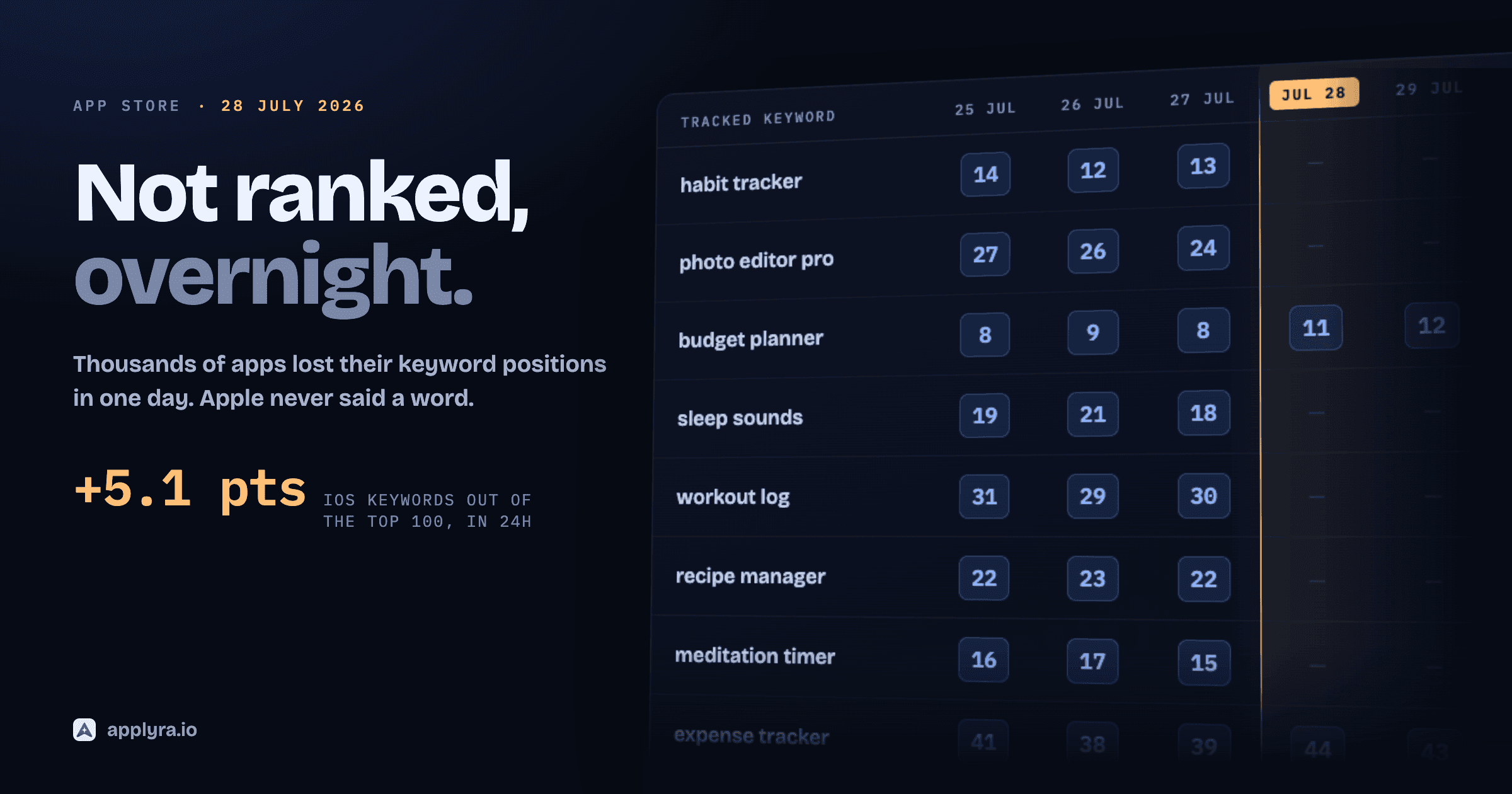
None of that cadence exists because the stores are slow. They are not. The ranking effect of a metadata change is there on the first daily reading. The weeks are your measurement window: on a completely quiet day, with nothing shipped at all, roughly one tracked keyword in twelve still moves five positions or more, and you need enough days for a real signal to separate from that. The full measurement is here.
Common ASO Mistakes
Avoid these pitfalls that trip up many indie developers. For a deeper breakdown of each, see 10 ASO mistakes indie developers make.
1. Keyword stuffing Cramming keywords hurts readability and can tank conversion. Write for humans first.
2. Ignoring Google Play because you're "iOS first" Android has 70%+ global market share. Don't leave that opportunity on the table. Tools like Applyra track both stores from one dashboard, making cross-platform ASO manageable even for solo developers.
3. Set-and-forget mentality Algorithms change. Competitors optimize. Users' language evolves. ASO requires ongoing attention.
4. Copying competitors directly Learn from competitors, but differentiate. Identical positioning means fighting for the same keywords.
5. Optimizing for vanity keywords Ranking #1 for a keyword nobody searches is worthless. Focus on keywords with actual volume.
6. Neglecting visual assets Great metadata won't save ugly screenshots. Conversion happens visually.
7. Not asking for reviews Users who love your app will leave reviews, if you ask them at the right moment.
Your ASO Action Plan
Here's how to get started, whether you're launching a new app or optimizing an existing one:
30-Day ASO Kickstart
Week 1: Research
- Analyze top 10 competitors' metadata
- Build initial keyword list (50-100 terms)
- Evaluate keyword difficulty and volume
- Prioritize keywords into tiers
Week 2: Optimize Metadata
- Write optimized title and subtitle
- Fill keyword field (iOS) or optimize descriptions (Google Play)
- Update full description with conversion focus
Week 3: Visual Assets
- Audit current icon and screenshots
- Plan screenshot story and messaging
- Create or update screenshot designs
Week 4: Launch & Monitor
- Push updates and start tracking
- Set up keyword rank monitoring for your top keywords
- Plan your first A/B test
- Establish review prompt strategy
The Bottom Line
ASO isn't magic, and it isn't instant. It's a systematic process of understanding how users search, what makes them download, and continuously optimizing both.
For indie developers, it's also one of the highest-leverage activities you can invest in. Every hour spent on ASO can generate returns for months or years through sustained organic discovery.
Start with the fundamentals: solid keyword research, clear metadata, compelling visuals. Then iterate based on data. Test, learn, improve.
The apps that win aren't necessarily the best-built. They're the ones that get discovered.
Start tracking your keywords for free with Applyra →
Frequently asked questions
How do indie developers do ASO without a budget?
Start with the free first-party tools (App Store Connect, Google Play Console, Apple Search Ads keyword data) plus a free keyword tracker. Do the fundamentals well: winnable long-tail keywords, a clear title and subtitle, three strong screenshots, and steady reviews. ASO is the highest-leverage growth channel for indie developers precisely because it compounds without ad spend.
How long does it take to see results from ASO?
Ranking changes land on the first day. Across 918 measured listing changes, a keyword entering the title had already gained 22 positions on iOS by the first daily reading, which is 88 percent of the total effect. Meaningful impact on downloads is slower and typically takes 4-8 weeks. Conversion improvements from visual changes show within 1-2 weeks of sufficient traffic.
Is ASO different for games vs. apps?
The fundamentals are the same, but games typically compete on different keywords and creative approaches. Games rely more heavily on video previews, tend to update seasonal creative more frequently, and often target broader entertainment-related keywords. The store algorithms treat both similarly.
Should I use ASO tools, or is free data enough?
App Store Connect and Google Play Console provide basic data, but dedicated ASO tools offer keyword difficulty scores, competitor tracking, and historical trends that make optimization significantly more efficient. For serious ASO work, a good tool pays for itself quickly. Applyra offers a free plan to help you learn the basics, then you can upgrade when you're ready to scale.
How often should I update my app store listing?
Update metadata when you have new keywords to target or data showing current keywords aren't working. Most successful apps update screenshots 2-4 times per year. Avoid changing your title too frequently, as it can temporarily affect rankings. Always test changes systematically rather than making sweeping updates.
Can paid ads help my organic rankings?
Indirectly, yes. Paid campaigns generate downloads, which contribute to download velocity signals. If those users engage well (good retention, positive reviews), it creates positive signals for organic ranking. However, paid ads don't directly manipulate organic rankings, the effect comes through improved performance metrics.
What's the single most important ASO factor?
If forced to choose one: keyword relevance combined with conversion rate. You need to rank for keywords people search (relevance) and then convince them to download when they find you (conversion). Neither alone is sufficient. A great listing that ranks for nothing gets no traffic; high rankings with poor conversion waste that traffic.
Ready to optimize your app?
Start tracking keywords and improving your app visibility on both stores - free, no credit card required.