You built a great app. You launched it. And then... nothing. A handful of downloads, mostly from friends and family.
Sound familiar?
Here's the thing: most indie developers don't fail at ASO because they're doing it wrong. They fail because they're not doing it at all or they're making a few critical mistakes that tank their visibility before they even get started.
After analyzing hundreds of indie apps, I've noticed the same patterns over and over. The good news? Every single one of these mistakes is fixable. And fixing them doesn't require an expensive tool or an agency.
What You'll Learn
- The 10 most common ASO mistakes indie developers make
- Why each mistake hurts your downloads
- How to fix each one (with specific, actionable steps)
- Which mistakes you can fix in 5 minutes vs. which need ongoing attention
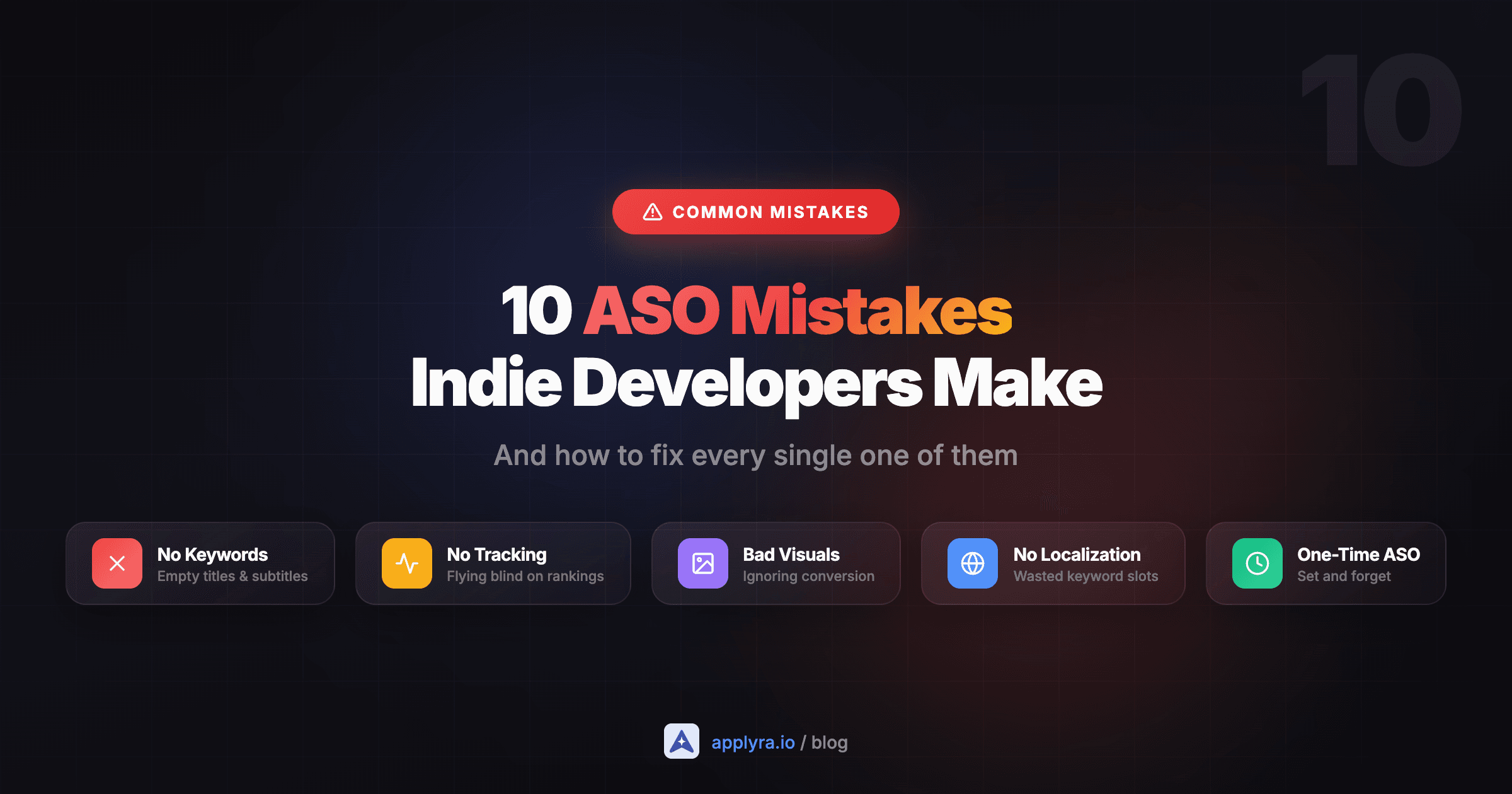
Mistake #1: Leaving the Title and Subtitle Empty of Keywords
This is the single most damaging ASO mistake, and it's shockingly common.
What developers do wrong:
They name their app something clever like "Zenith" or "Pulse" with no context. The subtitle (iOS) or short description (Android) is either empty or says something generic like "The best app for you."
Why it matters:
Apple and Google put massive weight on keywords in your title and subtitle. These fields have the strongest ranking signal in both stores. An app called "Zenith" with no keywords will never rank for "habit tracker" even if that's exactly what it does.
How to fix it:
Your title should include your brand name AND your primary keyword. Your subtitle should reinforce with secondary keywords.
Before: Zenith
After: Zenith - Habit Tracker
Before: Pulse
After: Pulse: Heart Rate Monitor
You have 30 characters for your title on iOS and 30 for your subtitle. Use them.
Mistake #2: Using Phrases Instead of Single Words in the iOS Keyword Field
This mistake is specific to iOS, and it wastes precious character space.
What developers do wrong:
They fill the 100-character keyword field with phrases like "habit tracker app, best habit tracker, daily habit tracker" burning characters on repeated words.
Why it matters:
Apple's algorithm combines words automatically. If you use "habit" and "tracker" as separate keywords, Apple will match searches for "habit tracker", "tracker habit", "best habit tracker", etc. But if you write "habit tracker" as a phrase, you've just wasted the space where "tracker" is duplicated.
How to fix it:
Use single words, separated by commas, no spaces. Never repeat words.
Before: habit tracker,daily habits,best habit app,habit journal
After: habit,tracker,daily,journal,routine,goals,streak,reminder
The second version covers more unique keywords in the same character count. Those spaces after commas cost you too: Apple splits on the comma alone, so each one is a wasted character. The character limits reference counts a field for you and flags the waste, and the complete ASO guide walks through every indexed field on both stores.
Quick Win
Go to App Store Connect right now. Look at your keyword field. Remove any repeated words and replace them with new, unique keywords. This takes 5 minutes and can immediately expand your keyword coverage.
Mistake #3: Ignoring the Free Data Apple and Google Give You
Most indie developers don't realize they're sitting on free ASO data.
What developers do wrong:
They never check Google Play Console's search analytics or Apple Search Ads' keyword suggestions. They rely entirely on guesswork or third-party tools.
Why it matters:
Google Play Console shows you exactly which search terms lead to impressions AND installs for your app. This is real conversion data, not estimates. Apple Search Ads (free account, no spend required) shows you keyword popularity scores and suggestions based on your app.
How to fix it:
For Android: Go to Google Play Console → Grow → Store Performance → Search Analytics. Look at which keywords drive actual installs, not just impressions.
For iOS: Create a free Apple Search Ads account at searchads.apple.com. Start a campaign draft (you won't spend anything) and use the keyword research tools to see popularity scores and suggestions.
These platform tools should be your first source of keyword data, not your last.
Mistake #4: Treating ASO as a One-Time Task
What developers do wrong:
They optimize their app listing once at launch, then never touch it again. "ASO is done" goes on the checklist, and they move on.
Why it matters:
ASO is iterative. Your first keyword set is almost never your best keyword set. Competitors change their keywords. Search trends shift. Algorithms update. What worked in January may not work in June.
How to fix it:
Plan to update your keywords every 4-6 weeks. Keep track of which keywords you've tried and how they performed. Double down on what works, drop what doesn't.
That cadence exists to give you enough clean data to read, not because the store is slow. We measured 918 real metadata changes and the ranking effect lands on day one, so the weeks you wait are your measurement window, not Apple's processing time.
A simple approach:
- Prepare 3 different keyword sets based on different themes
- Run each for 4 weeks
- Compare performance
- Combine the best-performing keywords from each set
- Repeat
4-6
weeks between keyword updates
3
keyword sets to test
∞
ASO is never 'done'
Mistake #5: Not Tracking Your Keyword Rankings
What developers do wrong:
They make changes to their app listing but have no idea if those changes actually improved their rankings. They're flying blind.
Why it matters:
If you don't track your keyword rankings, you can't know what's working. You might drop a keyword that was actually performing well. You might keep a keyword that's doing nothing. Without data, you're just guessing.
How to fix it:
Track your most important keywords weekly. Note where you rank for each one and whether that rank is improving or declining.
You can do this manually (search for each keyword and find your app), but it's tedious and error-prone. A tool like Applyra lets you track keywords automatically: the free tier covers 5 keywords, which is enough to monitor your core terms.
History matters as much as the current number. When rankings fall you need to know whether the cause is your app or the store itself, and that diagnosis is impossible without a before-and-after. See why App Store keyword rankings drop overnight for the test that tells the two apart.
The key metrics to watch:
- Rank position: are you moving up or down?
- Rank changes after metadata updates: did your changes help?
- Competitor movements: are others taking your spots? A rank you lost the same week a rival edited their title is a very different problem from one that happened on its own.
Mistake #6: Using the Same Keywords for iOS and Android
What developers do wrong:
They copy-paste their iOS keywords directly into their Google Play listing (or vice versa) without adjusting for platform differences.
Why it matters:
iOS and Android have different algorithms and different user behaviors. A keyword that performs well on iOS might be irrelevant on Android and the reverse is true too.
On iOS, keywords go in a hidden 100-character field. On Android, keywords need to be naturally integrated into your short description (80 characters) and long description (4,000 characters). The mechanics are completely different.
The odds are different too, store by store. Across 800,000 keyword-market pairs, 15 percent of two-word phrases on Google Play are both winnable and searched, against 8 percent on the App Store at the same length. And a difficulty score never travels between stores, because each one is built from the signals that store publishes about the apps already ranking. A term you judged reachable on iOS has to be judged again on Android, on Android's own numbers.
How to fix it:
Treat each platform as its own ASO project:
iOS approach:
- Use the keyword field for all your target keywords
- Title and subtitle for brand + primary keywords
- Description is NOT indexed (write for humans, not algorithms)
Android approach:
- Title and short description carry the most weight
- Long description IS indexed: every term your title and short description target should appear in it at least once, in a real sentence
- There is no density figure to hit. Repeating a term past the first mentions earns nothing, so spend the space on a feature you haven't covered
Research keywords separately for each store. What users search for on the App Store may differ from what they search for on Google Play.
Mistake #7: Ignoring Localization (Free Keyword Expansion)
What developers do wrong:
They publish their app in English only and never add other localizations, leaving massive keyword real estate unused.
Why it matters:
On iOS, each localization gives you an additional 160 characters of indexed metadata (30 title + 30 subtitle + 100 keywords). If you only use English (US), you're leaving hundreds of potential keyword slots empty.
Even if you only target English-speaking users, you can use cross-localization: fill the Spanish (Mexico) localization with English keywords, and those keywords will still be indexed in the US App Store.
How to fix it:
At minimum, add the Spanish (Mexico) localization to your iOS app and fill it with English keywords you couldn't fit in your primary locale. This effectively doubles your keyword capacity for the US market.
For apps with international potential, prioritize these high-impact localizations:
- Spanish (Spain): covers most of Latin America
- French: covers France, Canada, parts of Africa
- German: high purchasing power market
- Portuguese (Brazil): massive market
Cross-Localization Hack
You don't need to translate your app to use additional locales. Fill them with your target-language keywords to expand your indexing. Just make sure you're not misleading users, if your app is English-only, keep the visible metadata (title, screenshots) in English.
Mistake #8: Obsessing Over Visibility, Ignoring Conversion
What developers do wrong:
They focus entirely on keywords and rankings but neglect their icon, screenshots, and app description. They get impressions but few downloads.
Why it matters:
ASO has two parts: visibility (getting found) and conversion (getting downloaded). Ranking #10 for a keyword means nothing if users see your listing and keep scrolling. A mediocre icon or confusing screenshots will kill your conversion rate.
How to fix it:
Your first screenshot is the most important visual asset you have. It should communicate your app's core value in under 2 seconds.
Checklist for better conversion:
- Icon: Simple, recognizable, stands out on a home screen
- First screenshot: Shows the #1 benefit, not just UI
- Screenshot text: Short, benefit-focused captions (not feature lists)
- Description first line: Hook them immediately, this shows in search results
Test your visuals. Google Play offers free A/B testing through Store Listing Experiments. On iOS, use Product Page Optimization. Don't guess which icon works, let real users tell you.
Mistake #9: Never Responding to Reviews
What developers do wrong:
They ignore reviews entirely, especially negative ones. Or they respond defensively, making things worse.
Why it matters:
Reviews affect both your ranking and your conversion rate. A 3.8-star app converts significantly worse than a 4.5-star app. And on Google Play, responding to reviews is a ranking signal, Google notices when developers are engaged.
Beyond algorithms, potential users read reviews. If they see unanswered complaints, they assume you've abandoned the app.
How to fix it:
Respond to every negative review within 48 hours. Be helpful, not defensive. If you fix the issue they mentioned, ask them to update their review.
For positive reviews, a simple "Thanks for the kind words!" shows you're present.
To get more (positive) reviews, prompt users at the right moment: after they've completed a satisfying action in your app, not immediately after install. iOS limits you to 3 prompts per year per user, so time them well.
Mistake #10: Targeting Impossible Keywords
What developers do wrong:
They target broad, high-volume keywords like "music", "fitness", or "photo editor": terms dominated by apps with millions of downloads.
Why it matters:
If you're a new app with 500 downloads competing for "fitness" against apps with 50 million downloads, you will lose. Always. Those keywords have massive search volume, but you'll never rank for them.
How to fix it:
Target long-tail keywords where you can actually compete. Instead of "fitness", try "home workout no equipment" or "5 minute workout timer". These have lower volume but much less competition and the users who search for them have higher intent.
A good keyword strategy for indie apps:
- 20% aspirational keywords (high volume, low chance of ranking)
- 80% realistic keywords (lower volume, winnable positions)
As your app grows and gets more downloads/ratings, you can gradually target more competitive keywords. But start where you can win.
That winnable slice is thinner than most people assume, and longer is not automatically better. When we scored 800,000 keyword-market pairs, about one single word in five was both realistically winnable and actually searched, against one in forty for three-word phrases on the App Store. Difficulty falls as you add words, but traffic falls faster, so the band that clears both bars is narrower than "go long-tail" suggests. Here is the full breakdown. Check both numbers on every candidate, because picking keywords by feel is the part that fails.
Find Your Winnable Keywords
Check difficulty before you commit to a keyword. Applyra's keyword difficulty tool is free and needs no account. A keyword with 20 search volume where you can rank #3 is worth more than a keyword with 90 volume where you'll never crack the top 100.
Worth knowing what that number actually is before you optimise against it: App Store search volume explains where the figure comes from and why two tools rarely agree on it.
How to Prioritize These Fixes
Not all mistakes are equal. Here's how I'd prioritize fixing them:
Fix today (5-10 minutes each):
- Add keywords to your title and subtitle
- Clean up your iOS keyword field (single words, no repeats)
- Add at least one cross-localization
Fix this week: 4. Check Google Play Console / Apple Search Ads for free data 5. Set up keyword tracking (even just 15/20 keywords) 6. Review and update your first screenshot
Ongoing habits: 7. Update keywords every 4-6 weeks 8. Respond to reviews within 48 hours 9. A/B test your visuals quarterly 10. Reassess your keyword difficulty targets as you grow
Start Fixing These Mistakes Today
ASO isn't complicated. It's just rarely done consistently. Most indie developers make a few of these mistakes, realize ASO "doesn't work," and give up.
Don't be that developer.
Pick the top 3 mistakes from this list that apply to your app. Fix them this week. Track the results. Iterate.
That's really all ASO is: consistent, data-informed iteration on your app listing. The developers who do it outrank the developers who don't.
Start tracking your keywords for free with Applyra →
Frequently asked questions
What is the biggest ASO mistake?
Not using keywords in your title and subtitle. These fields have the strongest ranking weight in both app stores. An app with no keywords in its title is essentially invisible to search.
How often should I update my ASO?
Every 4-6 weeks for keywords. This gives enough time to measure performance while staying responsive to changes. Visual assets (screenshots, icon) should be A/B tested quarterly.
Can I do ASO without paid tools?
Yes, for basic tracking, free tiers like Applyra's cover the essentials.
Should I use the same keywords on iOS and Android?
Not exactly. While your core keywords may overlap, iOS and Android have different algorithms. Research and optimize for each platform separately.
How long does ASO take to show results?
Ranking changes land almost immediately. Across 918 measured metadata changes, 88 percent of the effect on iOS and 74 percent on Google Play was already present on the first day after the new listing went live. Meaningful download growth is slower and typically takes 4-8 weeks of consistent optimization.
Is ASO worth it for a new app with no downloads?
Absolutely. ASO is how new apps get discovered organically. Without it, you're relying entirely on paid ads or external marketing to drive any downloads at all.
Ready to optimize your app?
Start tracking keywords and improving your app visibility on both stores - free, no credit card required.