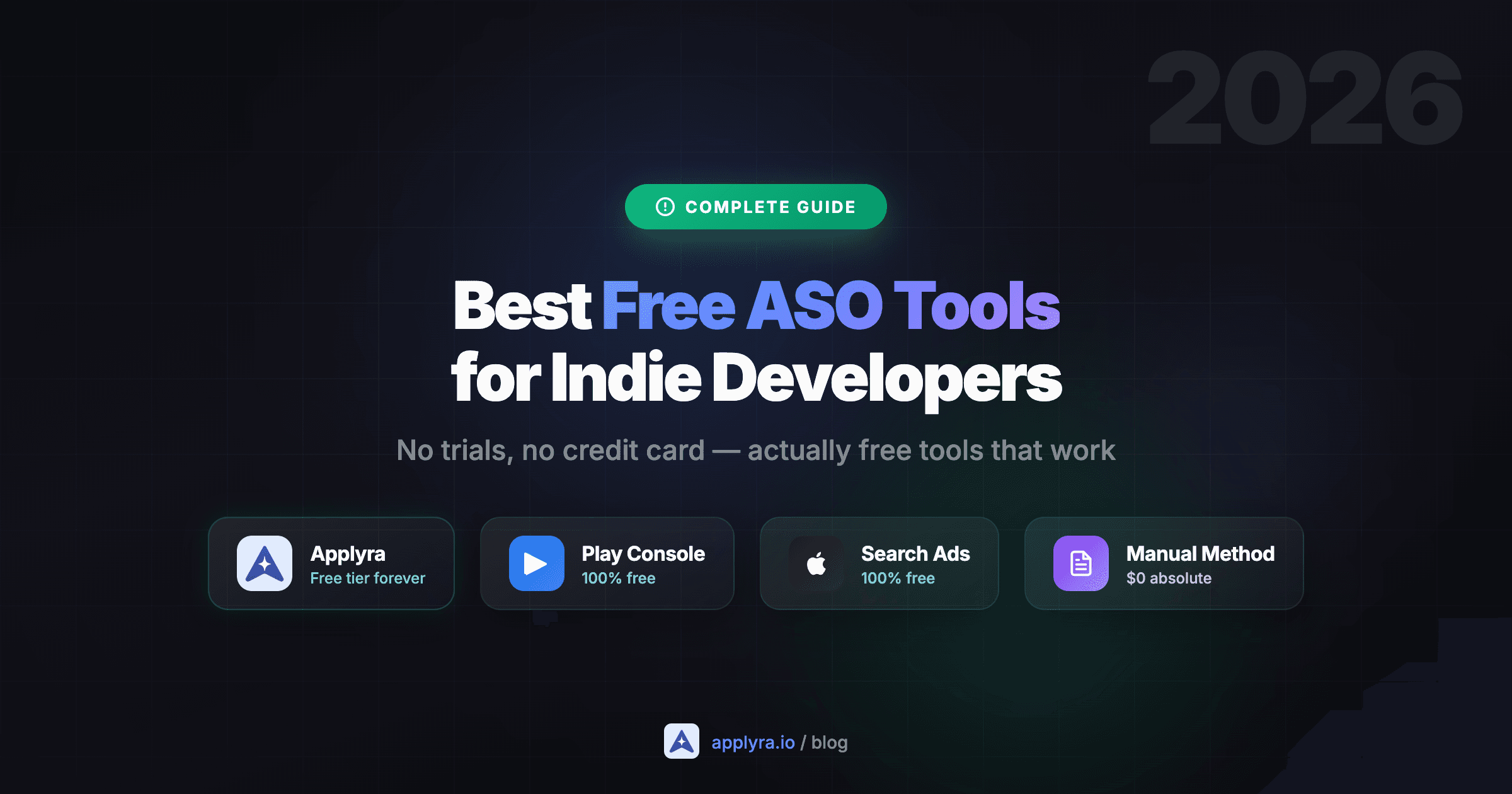
You don't need expensive tools to do ASO properly. Most indie developers assume you need a $200/month subscription to improve app visibility, but that's not true.
Here's the reality: 80% of effective ASO can be done with free tools. The problem? Many "free" ASO tools are actually 7-day trials in disguise. After a week, you're looking at an invoice between $80 and $549 a month.
This guide covers the tools that are actually free, from manual methods that cost nothing to platforms with permanent free tiers. No bait-and-switch, no credit card required.
What You'll Learn
- The best free ASO tool for indie developers (with a real free tier)
- Platform-native tools most developers ignore
- How to do ASO manually with $0
- Which "free" tools are actually trials to avoid
- A complete free workflow to get started today
The short answer
| Question | Answer |
|---|---|
| Best free ASO tool that is not a trial | Applyra: permanent free plan, 1 app, 5 keywords, 1 competitor, no credit card |
| Best free tools you already have | Google Play Console, Apple Search Ads keyword data, App Store Connect. All free forever |
| Which "free" tools are really trials | AppTweak, App Radar, FoxData and MobileAction all run 7-day trials, not free plans |
| Cheapest paid step up | Applyra at $9.99/month for unlimited keywords, apps and competitors on both stores |
Applyra Free (Recommended)
Best Free ASO Tool for Indie Developers
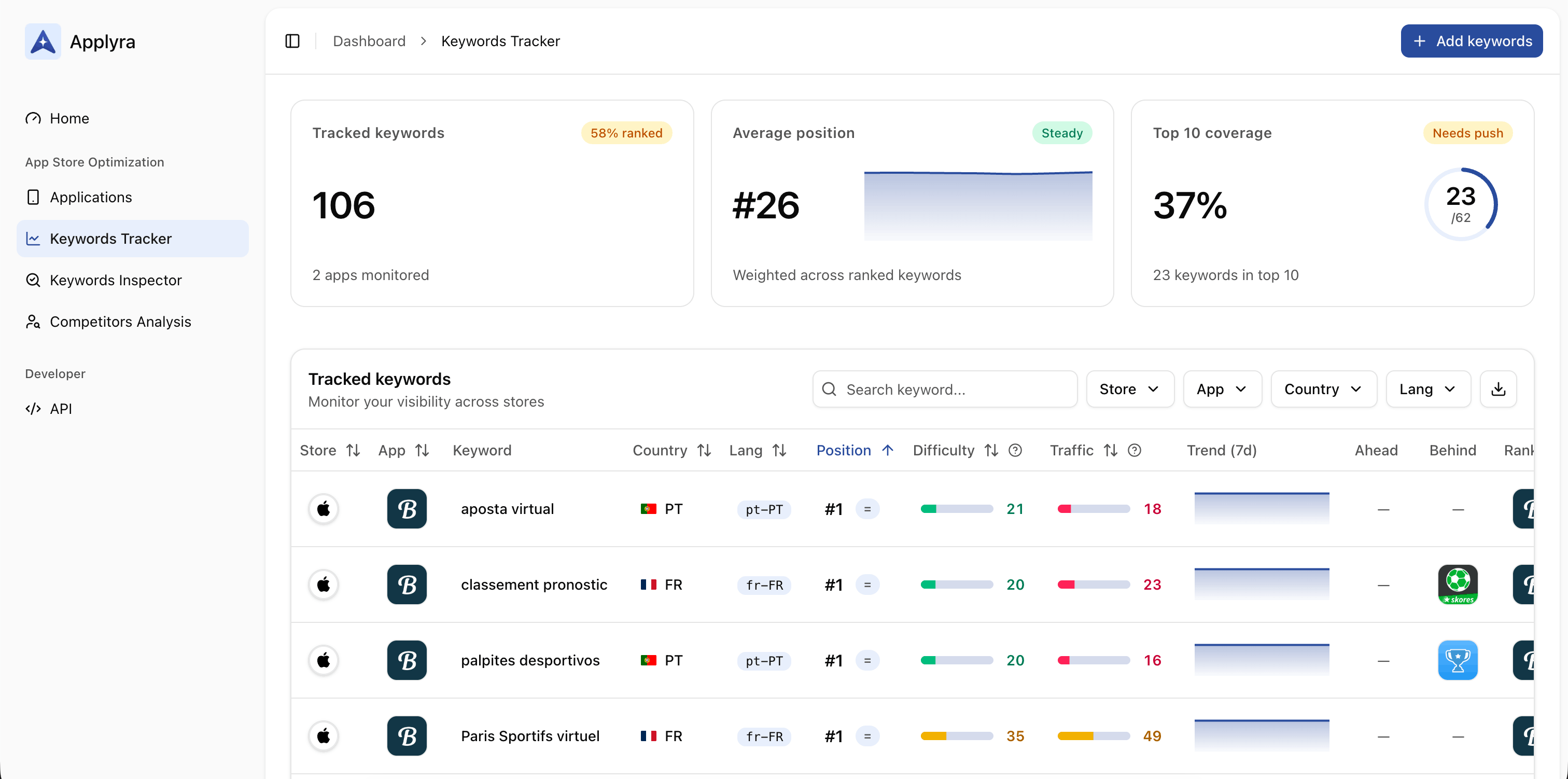
Applyra offers a permanent free tier, not a 7-day trial. You can use it indefinitely to learn ASO and track your most important keywords. Its free tools, keyword difficulty, competitor finder and top charts, run without an account at all.
Free Plan (permanent, no credit card):
- 1 app
- 5 tracked keywords
- 1 competitor
- 25 keyword inspections/month
- 7 days historical data
- iOS and Android in one dashboard
Why it stands out:
Most ASO tools either have no free tier (just trials) or hide essential features behind paywalls. Applyra's free plan includes the core functionality you need to understand ASO: keyword tracking, competitor monitoring, and cross-platform support.
The interface is designed for indie developers, not enterprise teams with dedicated ASO managers. You can set up your first app in under 2 minutes and immediately see where you rank for your target keywords.
5 keywords may sound limited, but it's enough to track the terms that matter most for your app. Focus on your primary keyword, 2-3 variations, and one competitor brand term. That covers the fundamentals.
Limitations:
- 5 keywords (enough for core terms, not deep research)
- 7 days of historical data
- 1 competitor
Best for: Developers who want to learn ASO basics, track their most important keywords, and have a clear path to scale when ready.

Platform-Native Tools (100% Free)
Before using any third-party tool, make sure you're using what Apple and Google give you for free. These are underutilized by most indie developers.
Google Play Console
If you publish on Android, Google Play Console is your most powerful free ASO resource.
What you get:
- Store Listing Experiments: Built-in A/B testing for icons, screenshots, and descriptions
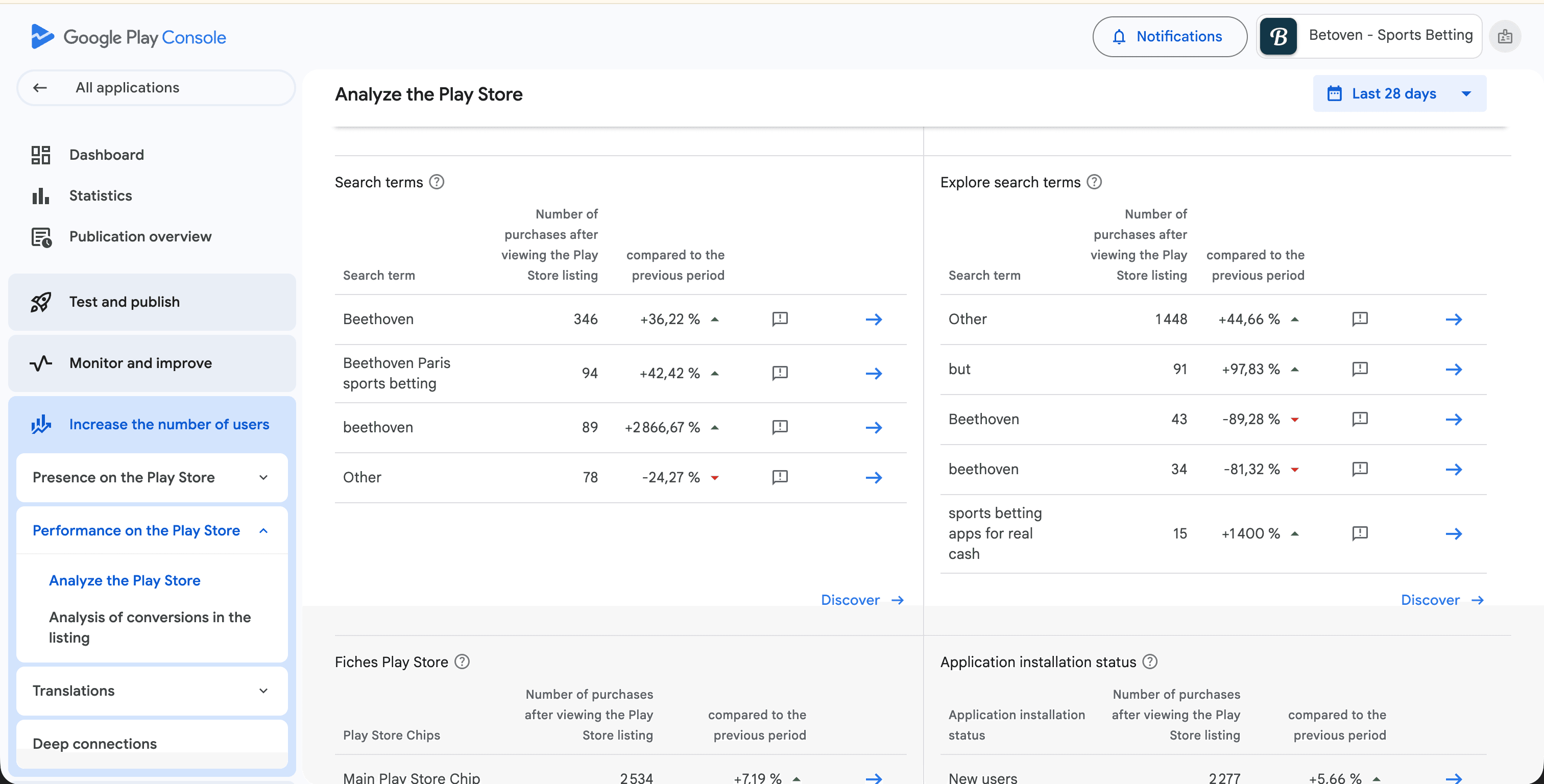
- Search analytics: See which keywords drive impressions AND installs
- Conversion data: Track the full funnel from impression to download
- Custom Store Listings: Create different listings for different audiences
Hidden Gem: Search Analytics
Google Play Console shows you exactly which search terms drive installs, not just impressions. Navigate to Grow → Store performance → Search analytics. This is real conversion data that third-party tools can only estimate.
Limitations:
- Android only
- No competitor keyword data
- Limited to higher-volume terms
- No difficulty scores
Apple Search Ads (Free Keyword Research)
You don't need to spend money on ads to use Apple's keyword tools. Creating a free Apple Search Ads account gives you access to valuable data.
What you get:
- Keyword suggestions: Apple's recommendations based on your app
- Search popularity scores: Relative volume on a 1-100 scale
- Competitor discovery: See which terms similar apps target
How to access (no spend required):
- Go to searchads.apple.com
- Create a free account
- Start a campaign draft (you won't be charged)
- Access keyword research tools
Limitations:
- iOS only
- Popularity scores are relative, not absolute
- No difficulty scores
- Data can be delayed
App Store Connect Analytics
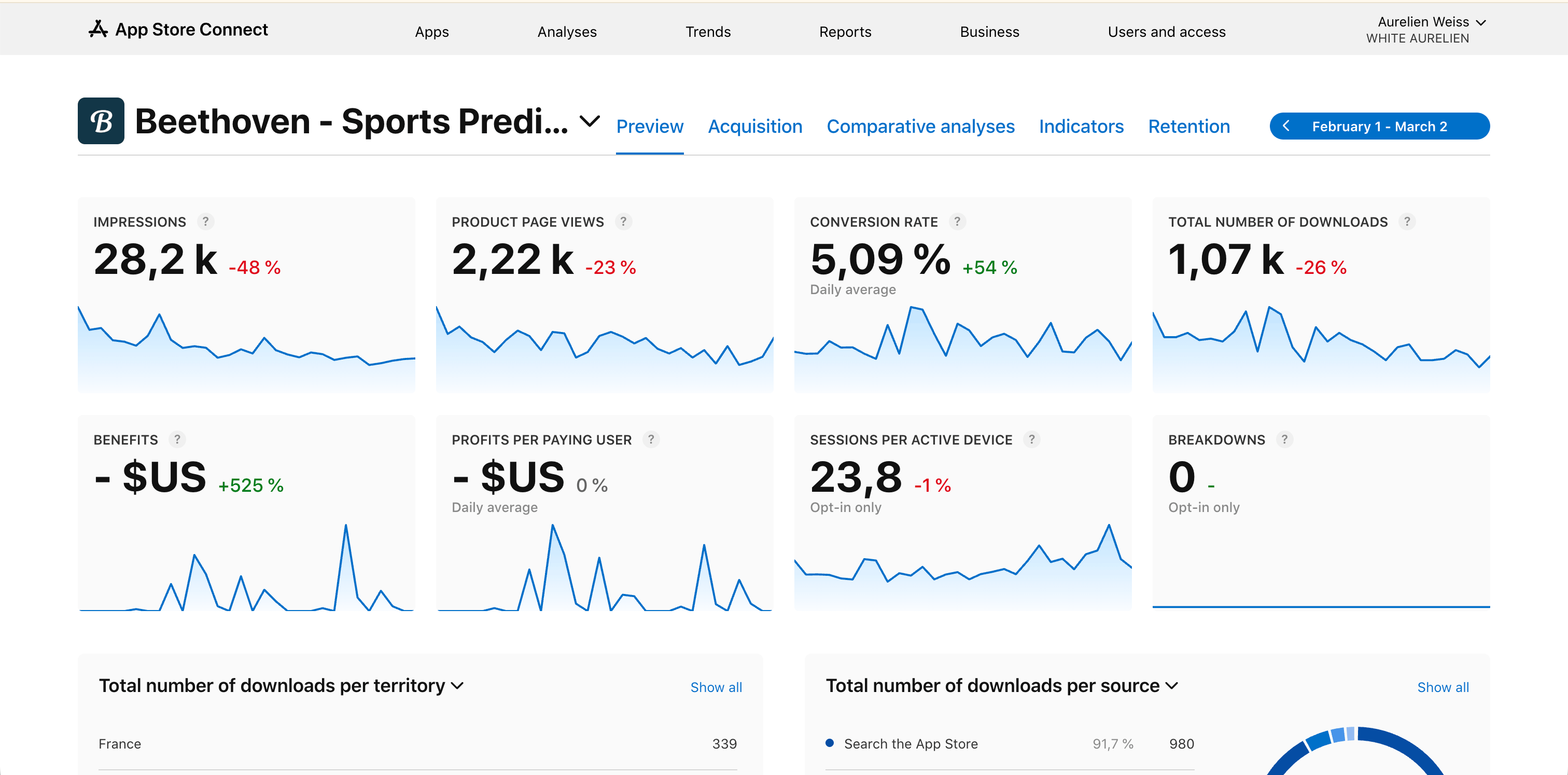
Apple's built-in analytics for your own apps.
What you get:
- Impressions and page views by source
- Conversion rates by territory
- Download trends over time
Limitations:
- No keyword-level attribution
- Can't see competitor data
Use Platform Tools + Applyra Together
Platform tools give you real conversion data for your own app. Applyra adds keyword tracking and competitor monitoring. Together, they cover 90% of what indie developers need.
Other Free Options (With Significant Limits)
Here are other tools with free tiers. Each has trade-offs you should understand.
AppFollow
AppFollow is a review management and reputation platform. The ASO module is real, but the interface and the pricing ladder are built around support teams answering reviews at scale.
Free Plan:
- 2 apps
- 7 days of historical data
- 100 manual review replies/month
- Zendesk and Slack integrations
The catch:
Seven days is the number that decides it. You can see where you rank today, but not whether last month's subtitle change did anything, which is the question ASO actually asks. Keyword allowances look generous on the pricing page; history is what you need and it is the first thing this tier removes. The step up to 30 days is $29/mo, and a full year is $179/mo.
The AppFollow alternative comparison has the full ladder.
Who it fits: developers who answer store reviews as a workflow, more than they optimize keywords.
AppTweak
AppTweak is an ASO platform built for enterprise teams. There is no permanent free tier.
What's available:
- 7-day free trial (credit card required)
- After trial: $79/month for 500 keywords, one seat and 6 months of history
The data is solid and the keyword research runs deep. The problem for an indie is arithmetic: $949 a year, billed annually, for a keyword cap you can hit with one app across two stores and a few countries.
Who it fits: funded startups and agencies with a dedicated ASO budget.
App Radar
App Radar positions itself as an all-in-one ASO workflow tool, but again: no permanent free tier.
What's available:
- 7-day free trial, credit card required
- After trial: about $80/month for 2 apps and 500 keywords
The metadata push to App Store Connect and Google Play is the genuinely useful part. But $80 a month is hard to justify for an indie app that might generate $100 a month in revenue.
Who it fits: small studios pushing metadata across many locales, with a budget for tools.
The Manual Method ($0 Absolute)
If you want to spend nothing at all, you can do ASO manually. It's time-consuming but educational.
What you need:
- App Store / Google Play Store access
- Google Sheets or any spreadsheet
- 2-3 hours per week
How to do manual keyword research:
1. Mine the autocomplete
Type partial keywords into the App Store or Play Store search bar. The suggestions that appear are real searches people make. Write them all down.
Example: Type "habit" and you'll see "habit tracker", "habit tracker app", "habit journal", "habit builder"...
2. Analyze competitor metadata
Find 5-10 apps similar to yours. For each one, note:
- Their title (what keywords are they targeting?)
- Their subtitle (iOS) or short description (Android)
- First paragraph of their description
- Keywords visible in their metadata
3. Build a keyword spreadsheet
Create columns for:
- Keyword
- Estimated relevance (High/Medium/Low)
- Competitor using it (Yes/No)
- Your current rank (check manually)
- Notes
4. Track rankings manually
Once a week, search for your target keywords and note where your app appears. Track this in your spreadsheet over time.
Advantages of manual ASO:
- Completely free
- Forces you to understand the fundamentals
- No tool dependency
Limitations:
- Time-consuming (2-3 hours/week minimum)
- No difficulty or volume data
- No historical trends
- Easy to lose consistency
Manual Is Great for Learning
If you're new to ASO, doing it manually for 2-4 weeks teaches you more than any tool. You'll understand what keywords are, how rankings work, and what metadata matters. After that, a tool like Applyra free will save you hours.
Tools to Avoid (Trials Disguised as "Free")
Some tools market themselves as having free options, but they're actually trials. Here's what to watch out for:
AppTweak: 7-day trial only. After that, $99/month minimum ($79 billed yearly). No permanent free tier.
App Radar: 7-day trial only. After that, about $80/month minimum. Often listed incorrectly as having a free plan.
Sensor Tower: Very limited free access. The real product costs a median of $75,000 a year, according to Vendr's data on 40 contracts. The "free" version is essentially a lead generation tool for their sales team.
Astro: $108/year, annual only, paid up front. No free tier and no trial either, just 14 days to request a refund. Also limited to iOS and requires a Mac.
Sonar: 7-day trial, card required, then $29/month. Its three browser lookup tools (ASO score, keyword generator, difficulty browser) genuinely are free and need no signup, but nothing tracks your rankings until you are paying.
All five are capable products. None of them tracks your app for free, whatever a listicle told you.
Recommended Free Workflow
Here's how to combine free tools into an effective ASO workflow:
$0
total cost
2-3h
per week
90%
of paid tool value
Weekly routine:
1. Track your keywords (Applyra free)
- Check rankings for your 5 tracked keywords
- Note any significant changes
- Time: 10 minutes
2. Research new opportunities (Platform tools)
- Google Play Console: Check which searches drive installs
- Apple Search Ads: Explore keyword suggestions
- Time: 30 minutes
3. Analyze competitors (Manual)
- Pick one competitor per week
- Document their title, subtitle, and top keywords
- Note anything they're doing that you're not
- Time: 20 minutes
4. Update your metadata (Monthly)
- Based on your research, update your app's title, subtitle, or description
- Focus on one change at a time so you can measure impact
- Time: 30 minutes/month
The $0 ASO Stack
- Applyra free: keyword tracking (5 keywords, 1 competitor)
- Google Play Console: real install data from search
- Apple Search Ads: keyword research and popularity
- Spreadsheet: manual competitor tracking
This combination covers keyword tracking, competitor analysis, and performance data without spending anything.
When Free Isn't Enough
Free tools work well for:
- Apps with under 10,000 downloads
- Single-app developers
- Learning ASO fundamentals
- Validating an app idea before investing
You might need paid tools when:
- You're tracking 50+ keywords across multiple markets
- You manage multiple apps
- Manual research takes more than 3 hours/week
- Your app generates enough revenue to justify the cost
When that time comes, Applyra's paid plan is $9.99/month for unlimited keywords, apps and competitors, with no tier to climb as your keyword list grows. The full price comparison is on the pricing page.
Start Optimizing Today
You don't need to spend money to start doing ASO. The combination of Applyra's free tier, platform-native tools, and basic manual research covers everything an indie developer needs to improve app visibility.
The key is consistency. Tracking your keywords weekly, researching competitors monthly, and iterating on your metadata based on real data will get you further than any expensive tool used sporadically.
Create your free Applyra account →
Frequently asked questions
What is the best free ASO tool in 2026?
For indie developers, Applyra offers the best combination of a permanent free tier and affordable scaling. The free plan includes 5 keywords, 1 app, and 1 competitor with both iOS and Android support. Platform-native tools (Google Play Console, Apple Search Ads) are also essential and completely free.
Can I do ASO without paying for any tools?
Yes. Combining manual research (autocomplete, competitor analysis) with platform-native tools (Google Play Console, Apple Search Ads) lets you do effective ASO at $0. It requires more time (roughly 2-3 hours per week) but covers the fundamentals.
Are AppTweak and App Radar free?
No. Both offer 7-day free trials, not permanent free tiers. After the trial, AppTweak starts at $99 per month and App Radar at about $80 per month, both for 500 keywords. If you need a truly free option, look at Applyra's free plan or the platform-native tools.
How many keywords should I track for ASO?
For a single app in one market, 20-50 keywords is typical. On a free tier like Applyra (5 keywords), focus on your primary keyword, 2-3 variations, and 1 competitor brand term. This covers the essentials while you learn.
Is Applyra really free?
Yes. Applyra's free plan is permanent, not a trial. You can use it indefinitely with 1 app, 5 keywords, and 1 competitor. No credit card required to sign up.
What's the difference between free trials and free tiers?
A free trial gives full access for a limited time, usually 7 to 14 days, then requires payment. A free plan is permanently free with limited features. AppTweak, App Radar and Asolytics offer trials only, Asolytics having dropped its free plan in 2026. Applyra offers a permanent free plan, and the first-party tools from Apple and Google are free forever.
Ready to optimize your app?
Start tracking keywords and improving your app visibility on both stores - free, no credit card required.