Open Play Console. Quality. Android vitals. Excessive partial wake locks. If that line sits over 5%, your app might already be wearing a red battery warning, and Play might already be quietly skipping you in the recommendation carousels. Most indie Android devs have not opened that page in months. That is the gap this post tries to close.
Google calls this 'battery technical quality enforcement'. In ASO terms, a background metric is now a ranking factor on Android, and the threshold is uncomfortably low for codebases that grew organically over a few releases.
What the 5% rule actually says
The rule is defined in two layers, both worth memorising before you touch the code.
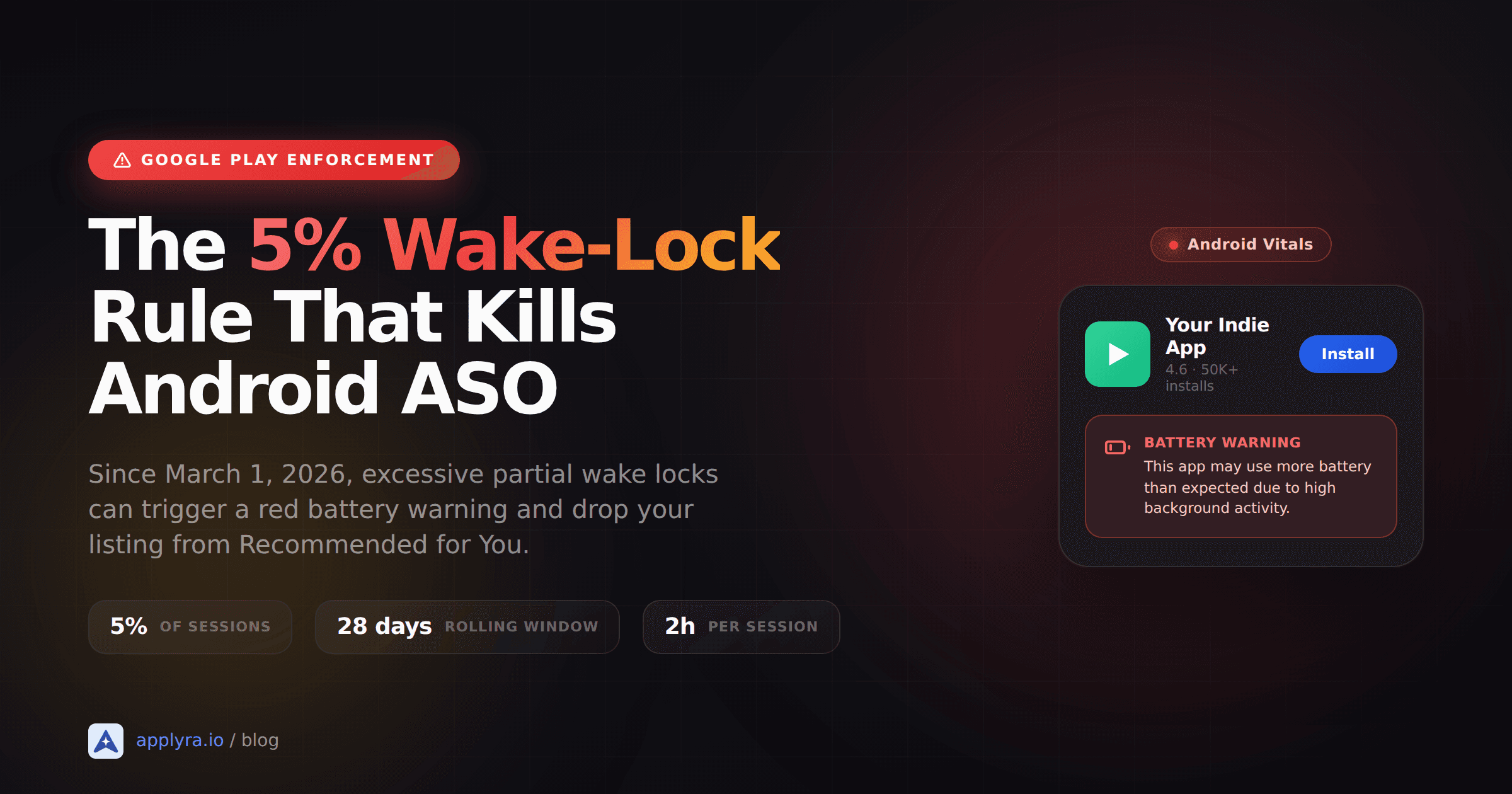
Layer one is the per-session definition: 'Android vitals reports partial wake lock use as excessive when all of the partial wake locks, added together, run for 2 or more hours in a 24-hour period.' Cumulative, not single-lock. A dozen 15-minute locks count the same as one 3-hour lock.
Layer two is the population threshold. If those excessive sessions happen in more than 5% of your app's sessions, across all devices, over the past 28 days, Play 'may reduce the visibility of your title' and 'may show users a warning on your store listing.' That language comes straight from Google's Android Vitals docs, not a third-party blog.
A few things are exempt, so you can stop worrying about the obvious cases:
- Audio playback from user-initiated APIs (MediaSession, AudioFocus).
- Location callbacks via FusedLocationProvider or LocationManager. The brief system-managed wake during the callback is exempt; a separate manual lock to cache the data is not.
- User-initiated data transfers through the UIDT API (the designated path for long uploads and downloads).
- WorkManager and JobScheduler jobs. They acquire their own wake lock for the duration and that lock is exempt.
Everything else, including any PowerManager.newWakeLock(...) your code or your dependencies call directly, counts.
What changes on your listing when you cross the line
The penalty has two flavours. The first is a warning label reading 'This app may use more battery than expected due to high background activity'. It appears on the Play Store listing before users tap install. Whether that wipes 5% or 30% of your conversion rate is something we don't have public data on yet, but battery anxiety is real and the label is red.
The second is removal from discovery surfaces. Recommended for You, Similar apps, the various 'you might like' carousels. For indies, those carousels often outperform paid acquisition because the traffic arrives pre-qualified. Lose them and your install graph flattens with no obvious cause.
There is no 'you have been penalised' email. The dashboard just changes, and your downloads slip. Same shape of pain as Apple's search ads expansion squeezing organic results, just on the Android side and triggered by your own code instead of a platform UI change.
How an indie codebase racks up wake-lock sessions without you noticing
Wake locks rarely cross the threshold because someone wrote wakeLock.acquire() last Tuesday. They cross it because a piece of code from 2019, or a library you barely remember adding, leaks. The patterns I see most often:
Forgotten acquire() without a paired release() in a finally block. If an exception throws between the two, the lock stays on until the system forces it off. One bug, one user, two hours of clocked wake-lock time. Multiply by a 10k DAU and you've torched your budget.
Periodic sync logic from before WorkManager existed. Old apps still wrap an AlarmManager plus a partial wake lock around their sync code. WorkManager handles the lock for you, batches across apps, and is exempt from the calculation. The migration is mostly mechanical, which is exactly why it sits in the backlog forever.
SDK wake locks. A push SDK, an analytics library, or an ad mediator can acquire its own lock. Play Console's wake-lock dashboard breaks down sessions by API and tag, so you can usually identify the package. The fix is either to update the SDK to a version that ships a Vitals-compliant build, or to drop it.
Foreground services that overstay. A music app's foreground service is fine while audio plays. A 'sync' foreground service that someone forgot to call stopForeground() on after the work finished is not. Wake-lock time in a foreground service still counts toward the threshold unless it falls under the audio, location, or UIDT exemptions.
You don't need all four to cross 5%. One persistent bug on one common device model can do it.
The five-minute check that tells you if you're at risk
In Play Console, go to Quality, Android vitals, Excessive partial wake locks. You'll see your session percentage over the last 28 days plotted against the 5% bad-behavior line. The graph breaks down by app version, device, and wake-lock tag, so you can spot which release introduced the regression and which strings to grep for.
If you're above 5%, click into the per-tag view. Tags are the strings you (or your dependencies) pass to newWakeLock("MyApp::SyncLock"). SDK locks usually have telltale package-prefixed tags. Once you know the offender, you can either fix the call site or upgrade the dependency.
For a sense of what's possible at the high end: WHOOP, the Android health-tracking app Google highlighted in a March 2026 developer-blog case study, reported a more than 90% drop in excessive partial wake lock sessions after auditing with the same dashboard, migrating to WorkManager, and adding timeouts to the locks they couldn't fully replace. That's a credible reference point, not a marketing pitch.
No Play Console data yet because your app is brand new? Run on your own devices for a week with Battery Historian (adb bugreport, then drop the zip into the Battery Historian web tool), and look for WakeLock entries that outlast your screen-off windows. Not the same dataset Google uses, but it'll catch the obvious leaks.
What to migrate to, by use case
Google's own guidance maps cleanly onto five common indie patterns. If your code holds a manual lock for any of these, the fix is usually straightforward:
| Use case | Recommended replacement |
|---|---|
| One-time or periodic background sync | WorkManager (manages its own lock, batches across apps) |
| User-initiated upload or download | UIDT (User-Initiated Data Transfer) API |
| Push or messaging socket processing | FCM, with an expedited worker if extra processing is needed |
| Location tracking | FusedLocationProvider callback. No manual lock required |
| High-frequency sensor monitoring | SensorManager with maxReportLatencyUs of 30s or more for batching |
Two things that come up a lot. WorkManager's minimum periodic interval is 15 minutes, which is almost always enough for the indie use cases (weather, RSS, badge refresh, daily backup). If your product genuinely needs tighter cadence, the right answer is usually an FCM push from your backend, not a finer-grained timer. And for Bluetooth, you don't need a wake lock to listen for incoming connections. The radio hardware wakes the CPU briefly on an interrupt. Only hold a lock around the active transfer, and release as soon as it ends.
What to do this week
Three concrete steps, maybe two hours of work in total:
- Check the wake-lock dashboard. Play Console, Quality, Android vitals, Excessive partial wake locks. Note your current 28-day percentage. Under 1%, you're fine and you can ship the next feature. Between 1% and 5%, you have margin but not much. Above 5%, treat it as a P0.
- Grep your code for
PowerManager.WAKE_LOCKandnewWakeLock. Any call site withouttry/finallyaroundacquire()andrelease()is a candidate for either tightening or migration. - Audit your dependencies. Walk through
build.gradleand check each SDK's release notes for Vitals compliance updates. Most major analytics, push, and ad SDKs shipped fixes between November 2025 and March 2026. If you're more than two minor versions behind, update.
Then watch the dashboard for two weeks. The numbers move slowly (28-day rolling average) so don't expect overnight recovery, but the trend usually reveals itself by week two.
Most ASO problems hide in metadata. This one hides in your code, which is the part of the ASO playbook indie devs miss until it costs them ranking. If you've been tracking your keyword ranks and saw Android positions drift in March or April with no metadata change, the Vitals dashboard is the next place to look. Open it tonight. The five-minute check is cheaper than working backwards from a quiet install graph six months from now.
Frequently asked questions
What triggers the Google Play battery warning?
The warning appears when excessive partial wake locks affect more than 5% of your app's user sessions across all devices over a rolling 28-day period. A session is excessive when partial wake locks add up to two hours or more in a 24-hour period.
What does the Google Play battery warning look like on the store listing?
It reads 'This app may use more battery than expected due to high background activity' and appears on the Play Store listing before users tap install. The warning is paired with reduced visibility on discovery surfaces like Recommended for You.
Which APIs are exempt from the excessive wake lock rule?
Audio playback from user-initiated APIs, location callbacks from FusedLocationProvider and LocationManager, user-initiated data transfers via the UIDT API, and WorkManager jobs are all exempt. WorkManager acquires its own wake lock for the duration of the task, so you don't need to add a manual one.
How do I check my app's excessive partial wake lock rate?
Open Play Console, go to Quality, then Android vitals, then Excessive partial wake locks. The dashboard shows your 28-day session percentage with breakdowns by app version, device, and wake-lock tag, which makes it easier to spot the offending code path or SDK.
Will fixing wake locks restore my Play Store ranking?
Yes, once your 28-day session percentage drops back below the threshold, the warning is removed and recommendation eligibility returns. WHOOP, a Google-cited case study, cut excessive partial wake lock sessions by over 90% after migrating to WorkManager and adding timeouts to remaining manual locks.
Does this affect iOS apps too?
No. The 5% wake-lock rule is specific to Google Play and Android Vitals. Apple uses different signals around crash rates and Energy reports, and currently does not surface a comparable public battery warning on App Store listings.
Ready to optimize your app?
Start tracking keywords and improving your app visibility on both stores - free, no credit card required.