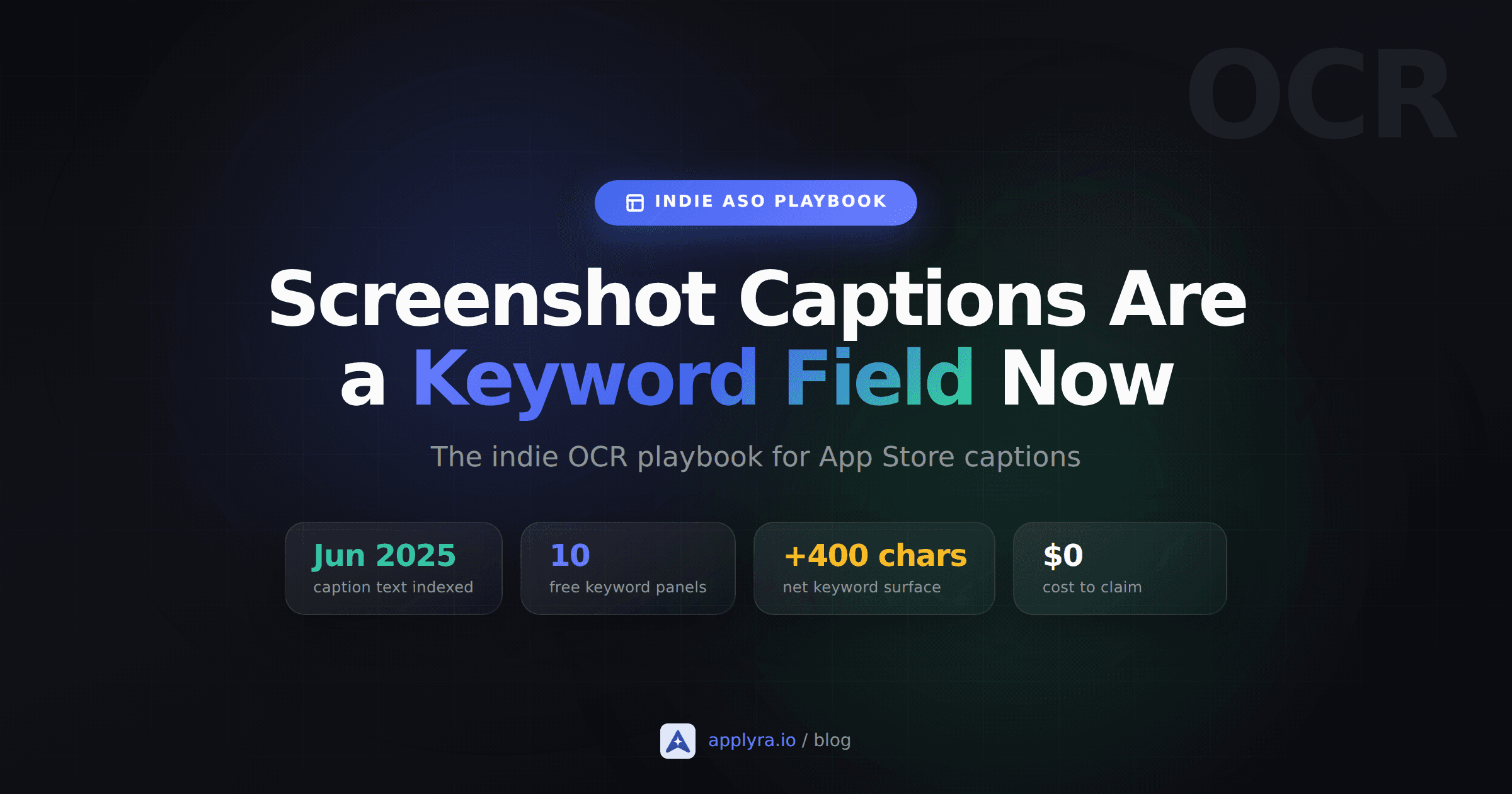
In June 2025, a quiet line slipped into the App Store algorithm: text overlaid on your screenshots is now read and indexed. Not the icon, not the preview video, the visible copy you painted on the image. Most indie listings still treat that copy as decoration left to whoever owns the Figma file. They are wrong. App store screenshot captions are keywords now, and they are the only metadata field Apple has added in a decade.
What you'll learn
- What changed inside the App Store algorithm in June 2025
- Why screenshot captions act as a fourth keyword field for indie apps
- Where to place captions so Apple's extractor actually reads them
- The repeat-vs-don't-repeat rule that flips the old metadata advice
- A 10-minute audit you can run on your live listing this afternoon
The June 2025 change, in plain English
Around June 6, 2025, AppTweak's anomaly tracker spiked. Apps moved positions overnight without changing a single character in their title, subtitle, or keyword field. The pattern was consistent: the apps that gained had keyword-rich text inside their screenshots. The apps that slipped had decorative captions, low-contrast overlays, or no caption text at all.
Appfigures was the first to put a name on it. They called it "one of the most significant algorithm changes in years," and they were right. Apple now uses an AI text extractor (the community calls it OCR, but Apple has been clear it is closer to vision-language extraction than classic OCR) to pull visible copy off your screenshots and merge those words into the keyword set the algorithm matches against search queries.
This is not a rumor. The behavior is reproducible. Apps now rank for terms that exist only in their screenshots and nowhere else in their metadata. That single fact is enough to change how you ship a listing.
Why this is a fourth keyword field for indies
iOS gives you three traditional metadata fields: title (30 characters), subtitle (30 characters), and the hidden keyword field (100 characters). Those 160 characters were the entire keyword surface for a decade, and they are still the most weighted signals.
Screenshots add a fourth surface. Ten image slots, with caption copy that easily holds 30 to 60 characters per panel without looking spammy. That's potentially 400 to 600 characters of keyword space, none of which counts against your existing fields. Better: caption keywords do not compete with the keywords in your title, subtitle, or keyword list. They reinforce them when they overlap, and they extend the keyword set when they introduce new terms.
Concrete example. Your app is called "Trailguide: Hiking Routes". Your subtitle is "Offline maps for hikers". Your screenshots can add captions like "AI route suggestions", "national park trails", and "GPS without signal". Those phrases would never fit in a 30-character subtitle. They sit on the screenshot for free.
This is the highest-leverage free change to indie ASO since Custom Product Pages went organic in July 2025. And almost nobody is treating it that way.
What Apple reads inside your screenshot captions
You can't influence the extractor, but you can stop hiding text from it. A year of observation has made a few things clearer.
Captions at the top or bottom of the screenshot index more reliably than text floating in the middle. The community read is that Apple's vision model is biased toward the regions humans use for headlines. ConsultMyApp recommended putting core captions at the top after their post-update audits, and that advice has held up.
Contrast is a hard filter. Light grey text on a white phone bezel, or thin script overlaid on a busy device frame, sometimes does not parse. If your designer optimized for elegance over legibility, you are probably losing keyword real estate to your own art direction.
Short, bold sans-serif text indexes most consistently. Stylized fonts, tight all-caps tracking, and gradient fills get read inconsistently across panels. Boring wins here. Save the visual flair for parts of the screenshot the extractor isn't trying to parse.
Localizations are read separately. Each locale gets its own caption pass. French screenshots with French captions index for French search queries. Indie devs who localized their metadata fields but reused English-only screenshots are leaving local rankings on the table.
The repeat-vs-don't-repeat rule
The old ASO rule was simple: do not duplicate keywords across your title, subtitle, and keyword field. Every character is precious and repetition is waste.
Captions change that rule slightly. Two patterns now work well.
Repeat your top two or three keywords in your screenshots, even though they already appear in your title or subtitle. Apple expects you to. Appfigures' analysis is unambiguous: the algorithm treats caption echoes as reinforcement, not redundancy. If "habit tracker" is in your subtitle, it should appear again somewhere in your screenshots.
Introduce one new modifier per caption, ideally a term that signals intent but doesn't fit anywhere else. Things like "for ADHD", "offline", "no subscription", "for couples", "with widgets". These are exactly the long-tail terms that ad bidders ignore and that convert at far higher rates than head terms.
Avoid the trap of stuffing five comma-separated keywords into every caption. The extractor reads it, but users see it too, and "Habit Tracker, Routine, Daily, Schedule, Reminder" tanks your conversion rate. You are still writing for both audiences. One or two phrases per panel, written like a human, picked up by the algorithm as a side effect.
With only ten panels, caption space is scarce, so spend it on terms you can actually rank for. Score your candidates in the keyword difficulty tool first and give the panels to the ones that are winnable.
A simple caption pattern
Headline that reads like a benefit + one keyword modifier. Example: "Track sleep without a wearable". Reads naturally to a human. Apple indexes "track sleep", "without a wearable", and "wearable" all in one short caption.
The 10-minute screenshot caption audit
Open your live listing on a desktop browser. Then run through this:
- Read each caption out loud. If it sounds like a designer wrote it ("Beautifully Simple", "Crafted for You", "Your Daily Companion"), it is keyword-empty. Rewrite it as a benefit with one searchable term.
- Squint at each panel. If the caption text fights the background, the extractor probably struggles too. Bump the contrast or move the caption off the busy region.
- Check vertical position. Captions in the top third index more reliably than ones tucked inside a phone frame in the middle. Move them up if you have a choice.
- Map captions to keywords. Write out the keywords from your title, subtitle, and keyword field. Then list the unique keywords that appear in your screenshots. Are you introducing at least three or four new terms via captions? If not, you are leaving free slots empty.
- Watch caption-only terms. Pick a few keywords that exist only in your screenshots, not in your other fields. If they move after you re-upload captions, you have direct evidence the extractor is reading you. A free tool like Applyra is fine for this, anything with daily rank tracking works.
Most indie listings fail at least two of these checks on the first pass. The fix is usually a single screenshot re-export, not a redesign.
What this change does NOT do
Caption keywords are still a weaker signal than title and subtitle. You cannot caption your way to a #1 rank on a head term if your subtitle is empty. You also can't hide white-on-white text and expect it to count; the extractor reads visible pixels, not metadata, and a caption that ranks but converts nobody loses rank fast.
If your screenshots are still the ones you uploaded at launch with captions like "Simple. Powerful. Yours.", you are giving away ranking signal that costs nothing to take back. Re-export this week, watch your caption-only keywords for two weeks, and iterate from there. It is the cheapest move in the 2026 indie ASO playbook.
Frequently asked questions
Does Apple really index App Store screenshot captions as keywords?
Yes. Since June 2025, Apple's algorithm extracts visible text from screenshot panels and merges those words into the keyword set used to match search queries. Appfigures called it one of the most significant algorithm changes in years, and AppTweak's anomaly tracker spiked around June 5 to 9, 2025 as the change rolled out.
Where should I place captions in my screenshots for the best ranking?
At the top of the screenshot, or directly under the device frame. Apple's text extractor reads the regions where humans normally place headlines, and it is less reliable on copy floating in the middle of a busy panel. Use bold sans-serif fonts and high contrast against the background.
Should I repeat title and subtitle keywords inside my screenshots?
Yes, repeat your two or three most important terms. Apple treats caption echoes as reinforcement, not as a duplicate-keyword penalty. The old rule against repeating keywords across title, subtitle, and keyword field still applies inside those fields, but it does not apply between those fields and your screenshot captions.
Does screenshot caption indexing apply to Google Play too?
Not in the same way. Google Play indexes the long description, short description, and title heavily but does not currently index screenshot caption text the way the App Store does. If you ship the same screenshots on both stores, the caption keyword effect helps only on iOS.
Do localized screenshots count for local keyword rankings?
Yes. Each locale's screenshots are indexed independently. If you serve French screenshots with French captions to French users, that text enters the keyword set for queries in that locale. Indie devs who localize their metadata fields but reuse English-only screenshots are leaving local rankings on the table.
How quickly do rankings react to a new screenshot upload?
Caption keyword effects typically appear within a few days of a new build going live, similar to other metadata changes. The fastest way to verify is to track a couple of keywords that exist only in your screenshots and watch them after each upload.
Ready to optimize your app?
Start tracking keywords and improving your app visibility on both stores - free, no credit card required.