This audit was generated on May 16, 2026
The data may no longer be up to date.

 US
USVisibility Breakdown
How your app performs across different visibility factors
Want to track this data in real-time?
Sign up for free and get daily updates on your app's visibility and rankings.
Start tracking for freeKeyword Rankings
Your app's position for key search terms
10
Keywords analyzed
0
Ranked in top 100
0
In top 10
| Keyword | Rank | Traffic | Difficulty | Graph | Ahead | Behind | Top 5 |
|---|---|---|---|---|---|---|---|
| levelup | Not ranked | Live trend | — | — | |||
| swipe quizOpportunity | Not ranked | Live trend | — | — | |||
| learn fast | Not ranked | Live trend | — | — | |||
| trivia game | Not ranked | Live trend | — | — | |||
| general knowledge | Not ranked | Live trend | — | — | |||
| quick learningOpportunity | Not ranked | Live trend | — | — | |||
| brain training | Not ranked | Live trend | — | — | |||
| multiple choiceOpportunity | Not ranked | Live trend | — | — | |||
| quiz cardsOpportunity | Not ranked | Live trend | — | — | |||
| daily learningOpportunity | Not ranked | Live trend | — | — |

















Want to track another keyword?
Create a free account to add keywords and unlock daily rank history.
Competitors
Apps competing for the same keywords
No direct competitors found in keyword rankings.
AI-Powered Analysis
Personalized insights generated by our AI
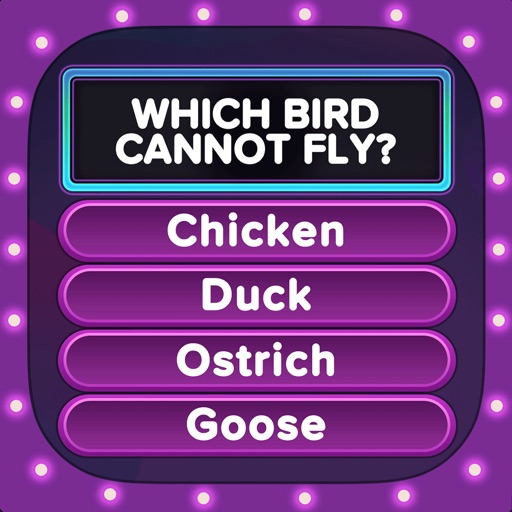
LevelUP: Swipe & Learn has a very low visibility score (3/100) primarily due to zero keyword rankings and no chart presence. Immediate focus should be on keyword optimization, review acquisition, and visual asset enhancement to lift its discoverability.
None of the 10 analyzed keywords (e.g., "trivia game", "brain training") rank in the App Store, resulting in a 0% Keywords Score. Prioritize adding high‑traffic, moderate‑difficulty terms to the keyword field and incorporate them into the title and subtitle.
The app currently has 0 reviews and a 0.0 rating, which hurts trust and algorithmic ranking. Implement a gentle in‑app prompt after a successful quiz streak to encourage 5‑star reviews.
Keywords like "quick learning" (difficulty 36) and "multiple choice" (difficulty 38) have decent traffic (53 and 42) and are easier to rank. Add these to the 100‑character keyword field and repeat them in the subtitle for reinforcement.
The description clearly outlines unique features (swipe‑based true/false, streaks, premium packs) and scores a 50% Quality rating. Keep this concise messaging but expand to include targeted keywords throughout the copy.
No mention of screenshots or preview video; visual assets heavily influence click‑through rates. Add 5+ high‑resolution screenshots with captions that embed keywords like "quiz" and "brain training".
The app is listed under Education but not ranked in any category chart. Consider adding a secondary subcategory (e.g., "Games > Trivia") and ensure the title reflects that niche to capture cross‑category traffic.
- 1Revise app title (≤30 chars) to include a high‑traffic keyword such as "Trivia" or "Quiz" (e.g., "LevelUP Trivia Quiz").
- 2Populate the 100‑character keyword field with a mix of high‑traffic, low‑difficulty terms: "trivia, brain training, quick learning, daily quiz, multiple choice".
- 3Add an in‑app review prompt after 3 consecutive correct answers or a completed streak to drive 5‑star ratings.
- 4Create 5+ screenshots and a short preview video highlighting swipe mechanics, streaks, and premium packs; embed keyword captions.
- 5Switch to a dual‑category listing (Education + Games > Trivia) and update the subtitle to reinforce the chosen niche.
Category Ranking
Education chart position
BigFuture School
Duolingo: Language Lessons
PictureThis - Plant Identifier

Speak & Learn English: Learna
Gauth: AI Study Companion
Google Classroom

Remind: School Communication

Vocabulary - Learn words daily
ParentSquare
Canvas by Instructure
Improve your ratings and downloads to climb the category charts.
Track LevelUP: Swipe & Learn in real-time
This audit gives you a snapshot. With Applyra, you get continuous monitoring, competitor alerts, and AI-powered recommendations to grow your app.
No credit card required · Cancel anytime
Audit FAQ
Common questions about this ASO audit.
What is the ASO visibility score of LevelUP: Swipe & Learn?
LevelUP: Swipe & Learn has a visibility score of 3 out of 100 on the Apple App Store (US). The score combines keyword rankings, top charts presence, and listing quality signals like rating and update recency. This audit was generated on May 16, 2026.
On how many keywords does LevelUP: Swipe & Learn rank?
LevelUP: Swipe & Learn is tracked on 10 keywords in this audit. It currently ranks in the top 100 for 0 keywords, with 0 keywords reaching the top 10. Ranking in the top 10 is where most discovery traffic happens.
What category is LevelUP: Swipe & Learn in on the Apple App Store?
LevelUP: Swipe & Learn is listed in the Education category on the Apple App Store.
How can LevelUP: Swipe & Learn improve its App Store Optimization?
Based on this audit, LevelUP: Swipe & Learn should focus on the keywords where it ranks 11 to 50 (closest to the top 10), benchmark its title and subtitle against the most frequent competitors, and refresh its listing regularly to maintain quality signals. The full audit lists specific weaknesses, opportunities, and AI-generated suggestions tailored to LevelUP: Swipe & Learn.
How was this ASO audit generated?
This audit was generated automatically by Applyra by scraping public Apple App Store data: app metadata, keyword rankings, category positions, and competitor listings. Visibility, keyword and listing quality scores are computed from those signals. Audits are free and do not require an Applyra account.