This audit was generated on March 25, 2026
The data may no longer be up to date.
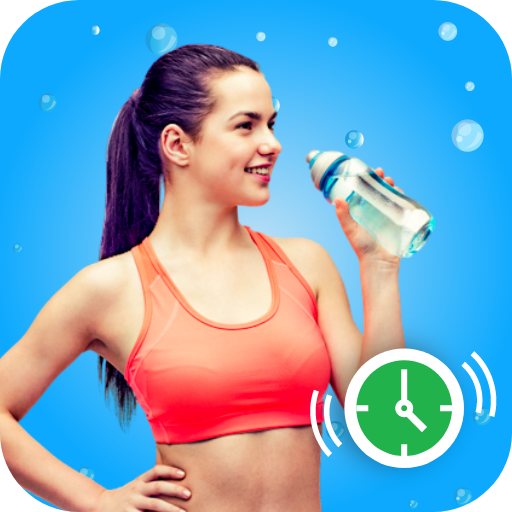
 US
USVisibility Breakdown
How your app performs across different visibility factors
Want to track this data in real-time?
Sign up for free and get daily updates on your app's visibility and rankings.
Start tracking for freeKeyword Rankings
Your app's position for key search terms
0
Keywords analyzed
0
Ranked in top 100
0
In top 10
| Keyword | Rank | Traffic | Difficulty | Ahead | Behind | Top 5 |
|---|
Competitors
Apps competing for the same keywords
No direct competitors found in keyword rankings.
Category Ranking
Health & Fitness chart position
Planet Fitness
Yuka - Food & Cosmetic Scanner
AllTrails: Hike, Bike & Run
Blood Pressure Tracker

Finch: Self-Care Pet
Step Tracker Launcher

Lazy exercise at home
Strava: Run, Bike, Hike
Health Sense: Track & Record
MyFitnessPal: Calorie Counter
Step Counter - Pedometer
Flo Ovulation & Period Tracker
Blood Pressure App

healow
FunSteps
Improve your ratings and downloads to climb the category charts.
AI-Powered Analysis
Personalized insights generated by our AI
The app has a modest quality score (63%) and a decent 4.0 rating, but its visibility is critically low (3/100) due to zero keyword rankings and no chart presence. Immediate focus should be on keyword optimization and listing enhancements to move from invisible to discoverable.
The app holds a 4.0 rating from 67 users, indicating reasonable user satisfaction. Leverage this by showcasing the rating in promotional assets and encouraging more reviews to boost social proof.
Keywords Score is 0% with no keywords ranked, resulting in a Visibility Score of 3/100. Conduct thorough keyword research and embed high‑volume terms in the title, short description, and long description.
The app is not ranked globally or within the Health & Fitness category, meaning it never appears on charts. Without keyword rankings, the chart algorithm cannot surface the app.
Current listing lacks compelling screenshots or a promo video, which are key conversion factors in the Play Store. Add 5‑7 high‑resolution screenshots with annotated benefits and a 15‑second looping video.
Only 67 reviews are present; increasing review volume can improve the Quality Score and ranking signals. Implement an in‑app prompt after several successful water‑logging sessions to ask for a rating.
With such low baseline visibility, testing different icons, feature graphics, and short‑description copy can quickly identify higher‑click‑through variations. Use Google Play Console experiments to run at least two variants.
- 1Perform comprehensive keyword research and integrate the top 10 relevant keywords into the app title, short description, and long description.
- 2Rewrite the long description with clear bullet points, benefits, and localized copies for target markets.
- 3Create and upload high‑quality screenshots (5‑7) and a 15‑second promotional video highlighting key features and reminders.
- 4Implement an in‑app review prompt after 3‑5 successful water‑tracking sessions to boost review count and rating.
- 5Set up A/B testing for the app icon and feature graphic using the Play Console to identify higher‑CTR assets.
ASO Insights
Actionable recommendations to improve your visibility
Detailed description
Your description is 3557 characters, providing good keyword density and information for users.
Strong visual presence
21 screenshots give users a comprehensive view of your app.
No significant issues found
Improve visibility
Score of 3/100 suggests room for ASO optimization. Focus on keywords and category ranking.
Not in category top charts
Improving ratings and downloads can help reach category top charts.
Track Water tracker: Drink reminder in real-time
This audit gives you a snapshot. With Applyra, you get continuous monitoring, competitor alerts, and AI-powered recommendations to grow your app.
No credit card required · Cancel anytime
Audit FAQ
Common questions about this ASO audit.
What is the ASO visibility score of Water tracker: Drink reminder?
Water tracker: Drink reminder has a visibility score of 3 out of 100 on the Google Play (US). The score combines keyword rankings, top charts presence, and listing quality signals like rating and update recency. This audit was generated on March 25, 2026.
On how many keywords does Water tracker: Drink reminder rank?
Water tracker: Drink reminder is tracked on 0 keywords in this audit. It currently ranks in the top 100 for 0 keywords, with 0 keywords reaching the top 10. Ranking in the top 10 is where most discovery traffic happens.
What category is Water tracker: Drink reminder in on the Google Play?
Water tracker: Drink reminder is listed in the Health & Fitness category on the Google Play.
How can Water tracker: Drink reminder improve its App Store Optimization?
Based on this audit, Water tracker: Drink reminder should focus on the keywords where it ranks 11 to 50 (closest to the top 10), benchmark its title and subtitle against the most frequent competitors, and refresh its listing regularly to maintain quality signals. The full audit lists specific weaknesses, opportunities, and AI-generated suggestions tailored to Water tracker: Drink reminder.
How was this ASO audit generated?
This audit was generated automatically by Applyra by scraping public Google Play data: app metadata, keyword rankings, category positions, and competitor listings. Visibility, keyword and listing quality scores are computed from those signals. Audits are free and do not require an Applyra account.