Apple finished rolling out a second sponsored slot inside App Store search results on March 17. The UK went live on March 3, Japan on March 10, then every Apple Ads market by the end of the month. Three months in, indies who used to land at #2 or #3 on their main keyword are seeing the same thing: their position now behaves more like #4 or #5, because two ads sit above the fold instead of one.
There is a free defense most indies skipped at launch. An active In-App Event displaces that second ad slot for anyone who has ever installed your app. The feature shipped in iOS 15 back in 2021, sat there for four years as a marketing-team afterthought, and quietly became the most under-used ASO lever on iOS.
What you'll learn
- What actually changed in March 2026 and why position 2 hurts more than it looks
- The In-App Events mechanic that removes the second ad slot from your result row
- What to put in the four event fields, and where indies usually botch them
- A 28-day rotating cadence a solo dev can keep running for the year
- Why you pick the keyword first and design the event around it, not the other way around
What actually changed in March 2026
Apple's two-slot expansion is visible only on iPhones and iPads running iOS 26.2 or later. Existing Apple Search Ads campaigns auto-enrolled into the new positions, so paid pressure now spreads across two spots in the same result list. The first ad still sits at the top. The second one drops into the body of the result list, sometimes as low as position #3 depending on the query.
Apple's own claim, repeated for years, is that around 65% of App Store downloads start with a search. If that's directionally right, what's happening on those result pages now matters more, not less. The clean way to frame the demotion: with two ads above the fold, the apps that used to compete for attention at organic #2 and #3 now compete at #4 and #5. That's a real demotion for any indie listing on a competitive keyword.
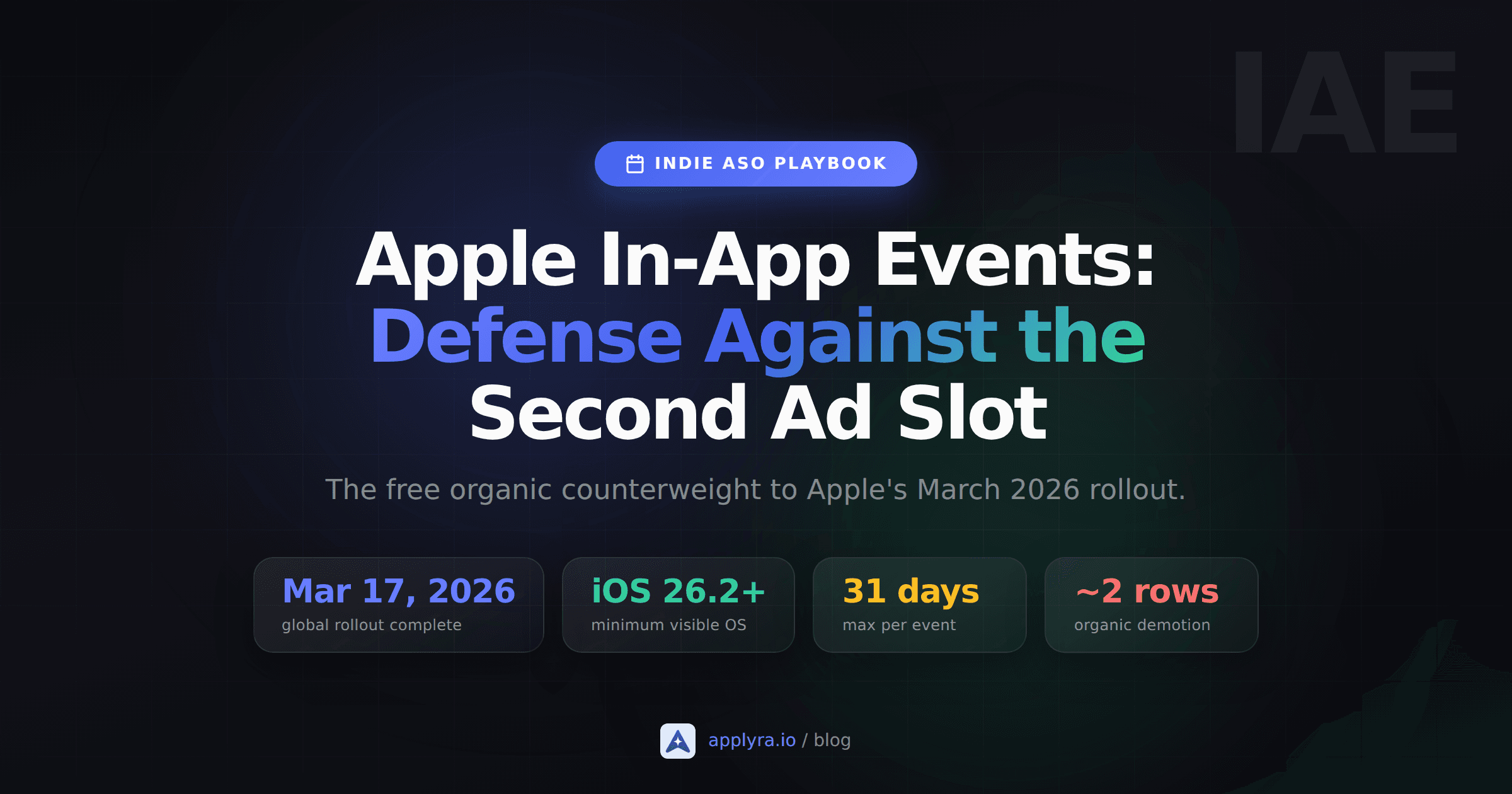
Mar 17, 2026
global rollout complete
iOS 26.2+
minimum visible OS
65%
of installs start with a search
~2 rows
effective demotion above the fold
If you already run Search Ads, this is just margin pressure. If you don't, it's a free-defense problem and nobody is going to solve it for you.
The In-App Events mechanic Apple buried in plain sight
Open the App Store. Search for any app you've installed before whose developer is running an active event. The result row for that app does not show three small screenshots. It shows a single, full-width event card with a hero image, a headline, a short description, and a badge like "Challenge" or "Live Event."
Now look at the rest of the page on that same query. The second ad slot is gone. The event card has consumed the row Apple would have used for that ad. That's the entire mechanic. Apple's help docs draw the line cleanly: event cards replace screenshots in Search Results for users who have your app installed. The visual difference is what does the displacement work.
For users who have never installed your app, screenshots still show by default. There is one nuance worth knowing: when the event's short description contains the queried keyword, Apple can surface the event card to non-installed users too. The 50-character short description is keyword real estate. Treat it like one.
If you've been wondering why your impressions feel flatter on your top three queries since April, this is part of the answer. Your install base used to anchor those queries with screenshot rows that had no competition against an ad slot that didn't exist. Now those rows are getting underbid one position up.
The four fields, what they do, and where indies get them wrong
In-App Events are not subtle. You fill out four content fields plus a badge type, and Apple decides where and to whom the card shows.
- Event name (30 characters, title case). The literal name of the event. "June Speedrun Cup," not "Tap to win!" If you write this like a call to action, Apple reviewers reject it, and you lose two days you didn't plan to lose.
- Short description (50 characters, sentence case). The line that renders on the card itself. It is also the line Apple's search uses to decide whether to surface the event to non-installed users on a keyword query. Put your target keyword here. If your event is a leaderboard week and you rank for "puzzle game," write "New puzzle game leaderboard for the week," not "Climb our ranks today!"
- Long description (120 characters, sentence case). Shows up if a user taps through. Use it to explain the actual rules or the reward. Don't repeat the short description.
- Image (16:9, minimum 1920x1080, max 3840x2160, .jpg or .png). No baked-in text, no logo. Apple applies its own crops and gradients automatically, so anything overlayed in the source file gets cropped or darkened. The image is the row's hero, so let it be the hero.
The badge type matters as much as the copy. Apple offers Challenge, Competition, Live Event, Major Update, New Season, Special Event, and Premiere. Pick the one that genuinely matches what users will do during the event. A "Major Update" badge on what is really a 7-day leaderboard is a reviewer flag. A "Live Event" badge on a static promotion is another one. Honest badges ship faster.
A cadence a one-person studio can actually run
The published limits do the planning for you. Each event runs for a maximum of 31 days. You can promote it up to 14 days before the start date. You can have up to 10 events published at once and 15 approved in App Store Connect.
You don't need ten concurrent events. You need rotating coverage on the keywords you care about, with no gap.
A workable rotation:
- Pick the 2 to 3 keywords where you currently rank between positions 2 and 8 and that drive real install volume. Those are the rows the new ad slot is most likely to demote.
- For each keyword, draft an event short description that uses the keyword naturally.
- Schedule the first event for 28 days. Build the next event in App Store Connect on day 22 so it is approved by day 25, and set its start date to overlap the current event by one or two days.
- Repeat. Every 4 weeks you have a new card running on the same keyword.
The pre-promotion window is your safety net. Even if approval gets delayed, the upcoming event card can render in search before the actual start. The catch worth flagging: when an event expires with nothing behind it, the listing reverts to standard screenshot display within the hour, and the second ad slot reappears on that row the same day. The protection is exactly as continuous as your scheduling discipline.
If you ship five events for the year on a single rotation, you have defended your top keyword for ten months. That's a real outcome for thirty minutes of work a month.
Pick the keyword first, then design the event
The most common mistake is building an event around whatever the dev team is shipping that month, then writing the short description after. That's backwards for ASO.
Start from your keyword tracker. Look at the queries where you rank between positions 2 and 8. Those are the rows the new second ad slot is leeching from. If your tracker exposes install share or impression share, sort by that. The top 2 or 3 queries are your event anchors for the quarter.
Then write the event short description around that keyword. The "event" you wrap around the description is whatever fits honestly. A meditation app ranking #3 for "sleep sounds" can ship an August Sleep Series event with short description "Nightly sleep sounds and meditations to unwind." A puzzle game ranking #5 for "logic puzzles" can ship a Logic Puzzle Marathon with short description "Fresh logic puzzles every day for two weeks." The badge picks itself once the event premise is real.
If you do not have a tool tracking position over time, this whole approach falls apart, because you cannot tell which keywords are losing ground to the new ad slot in the first place. Any indie keyword tracker that updates daily, including Applyra's free plan, will get you the position data. The job is just knowing which rows on which queries are getting pushed down.
One event, one keyword, one job
An event defends a specific row on a specific query for users who have installed your app. It will not invent ranking. It will not save a query where you are currently at #12. It buys you the difference between organic position 2 with a second ad above and organic position 2 with no second ad above. That difference is worth defending.
What to do on Tuesday
A 30-minute checklist:
- Open your keyword tracker. List every keyword where you rank between #2 and #8.
- Pick the 2 to 3 with the most install share.
- For each, draft a 50-character event short description that uses the keyword in a natural sentence.
- In App Store Connect, create the event, pick a badge that honestly matches the premise, set duration to 28 days, set the start date to the earliest Apple allows after approval.
- On day 22, build the next one. Set a calendar reminder now, not later.
The second ad slot is not going away. Apple has been clear it intends to open more App Store inventory, not less, and the next round of placements will compete for the same rows you are competing for now. The In-App Events surface is the cleanest organic counterweight Apple has shipped since the iOS 15 redesign, and most indies are leaving it switched off.
Don't.
While you're rebuilding the rest of your post-March playbook, two other underused surfaces are worth a Saturday: Custom Product Pages went organic in 2025 and let you swap screenshots per keyword without an ad budget, and the broader ASO without an ad budget post covers what surrounds events in the post-March-2026 search layout.
Frequently asked questions
What is Apple In-App Events ASO and why does it matter in 2026?
In-App Events let you publish time-bound promotional cards on your App Store listing. Since the second sponsored slot rolled out globally in March 2026, an active event card can displace that ad for users who have installed your app, turning a launch-era feature into ongoing organic defense.
Can In-App Events appear in App Store search for users who have not installed my app?
Yes, in some cases. Screenshots show by default for non-installed users, but if the event's short description contains the queried keyword, Apple can surface the event card to them as well. Treat the 50-character short description as keyword real estate.
How long can an In-App Event run on the App Store?
Each event runs for a maximum of 31 days and can be promoted up to 14 days before the start date. Apple lets you have up to 10 events published at once and 15 approved in App Store Connect. Plan a rolling schedule so coverage never lapses.
Which event type badge should an indie developer pick?
Pick the badge that matches what users will actually do during the event. Challenge and Competition fit games with leaderboards. Major Update fits a real feature release. New Season fits content drops. Apple reviewers reject mismatched badges, so pick honestly.
Do In-App Events replace running Apple Search Ads?
No. Events defend organic visibility on queries where you already rank. Apple Search Ads buy visibility on queries where you do not. Indies on a tight budget should set up events first because the cost is the 30 minutes it takes in App Store Connect.
How do I know which keywords to anchor my events to?
Start with the queries where you already rank between positions 2 and 8, since those are the rows losing visibility to the new second ad slot. A keyword tracker that updates daily, such as Applyra, surfaces those positions so you do not have to spot-check the App Store manually.
Ready to optimize your app?
Start tracking keywords and improving your app visibility on both stores - free, no credit card required.