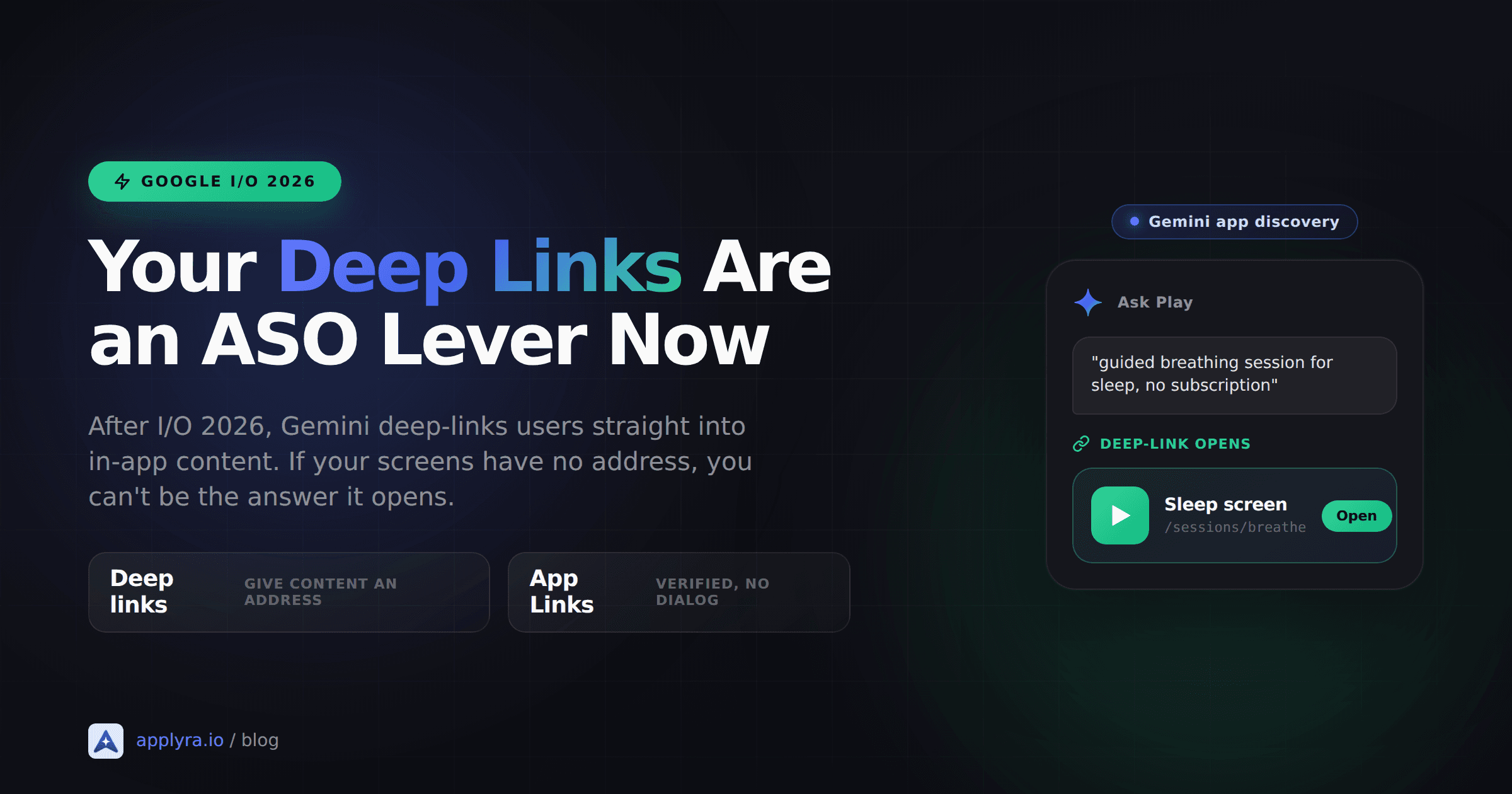
A user opens Gemini and types "guided breathing session for sleep, no subscription." Instead of three Play Store listings to scroll through, Gemini opens the exact session inside an app that already has it. No browse. No listing page. The user is two taps from value, and they never read your description.
That destination is a deep link. At Google I/O 2026, Play discovery quietly stopped ending at your store listing and started ending inside your app. If your content has no address, it cannot be that destination.
What you'll learn
- What Google actually announced about Gemini, Ask Play, and deep-linking into app content
- Why Google Play deep links are now an ASO signal and not just in-app navigation
- The three-layer stack to wire up: deep links, verified App Links, and the Engage SDK
- Which apps this helps, which it doesn't, and what to ship this week
What actually shipped at I/O 2026
Strip the keynote gloss and three things matter for discovery.
First, Gemini app discovery. Google said it is "enabling app discovery in the Gemini app on Android and Web" in the coming weeks, and that "later this year, Gemini will also surface over 450,000 movies and TV shows, as well as where to stream live sports, and deep-link users directly into your app content." Read that last clause twice. The stated direction is users landing on a screen inside your app, not on your listing.
Second, Ask Play. It is a conversational overlay in the Play Store that handles follow-up questions and summarizes results. Google framed it as building on AI-powered Q&A "which already answers 95% of user queries." So a large share of Play search intent is already being resolved by a model reading your metadata, not a human scanning a grid of icons.
Third, the Engage SDK got pushed as the integration to "boost re-engagement," with the note that apps already integrated need no further action to benefit.
450K+
movies and TV shows Gemini will surface
95%
of Play Q&A queries AI already answers
<50 KB
the Engage SDK adds to your APK
Here's the honest part, and I'd rather say it than let you discover it later. Google did not publish a "do these five things and Gemini will index you" spec. The blog announced that Gemini will deep-link into app content, and it pointed at the Engage SDK. The playbook below is the obvious read of how that stack already works, not a leaked checklist. Treat it as a no-regret bet: everything in it is documented Android infrastructure that helps you regardless of how the AI layer evolves.
Why deep links became a discovery signal
For a decade, Android discovery ended at the listing. You optimized title, short description, and the keyword field, a user found your icon, tapped install, and your job was done. The store was the front door and the listing was the welcome mat.
That model assumes the destination is your app as a whole. The new model assumes the destination is one screen. When Gemini answers "30-minute beginner kettlebell workout" by opening that specific workout, the unit of discovery is no longer the app. It's the content item. And a content item that Gemini can open has to be addressable, which is the entire point of Google Play deep links in an ASO context.
No address, no deep link. No deep link, nothing for the AI layer to open. You stay a listing in a world that increasingly skips listings.
This is the same shift playing out on the iOS and web side with AI assistants. If you've read how to get your app recommended by ChatGPT, the pattern rhymes: assistants reward content they can confidently map to an intent. The Android twist is that Google is wiring the deep-link destination into the pipe, so the technical setup is concrete instead of reputational.
The three-layer stack you actually wire up
Think of this as three layers. You can ship layer one alone and still benefit. Each layer up adds reach.
| Layer | What it does | What it needs |
|---|---|---|
| 1. Deep links | Give each content screen a unique URL | Intent filters in your manifest |
| 2. App Links | Verify those URLs so Android opens you directly | assetlinks.json on your domain |
| 3. Engage SDK | Publish content to Google surfaces and Gemini | SDK integration, supported vertical |
Layer 1: give your content an address
A deep link is just a URL that resolves to a specific screen. You declare it with an intent filter:
<activity android:name=".WorkoutActivity">
  <intent-filter android:autoVerify="true">
    <action android:name="android.intent.action.VIEW" />
    <category android:name="android.intent.category.DEFAULT" />
    <category android:name="android.intent.category.BROWSABLE" />
    <data
      android:scheme="https"
      android:host="yourapp.com"
      android:pathPrefix="/workouts" />
  </intent-filter>
</activity>
The scheme is the protocol, the host is your domain, and the pathPrefix is the segment a URL must start with. With the filter above, https://yourapp.com/workouts/kettlebell-beginner opens straight into that workout. Google's own rule for these is blunt: the deep link "should take users directly to the content, without any prompts, interstitial pages, or logins." If your link dumps the user on a paywall or a generic home screen, you've built a dead end, not a deep link.
Layer 2: verify it as an App Link
A plain deep link still triggers the Android disambiguation dialog ("open with..."), which is friction and, frankly, looks broken. An Android App Link removes that. You set android:autoVerify="true" (already in the snippet above) and host a Digital Asset Links file at https://yourapp.com/.well-known/assetlinks.json:
[{
  "relation": ["delegate_permission/common.handle_all_urls"],
  "target": {
    "namespace": "android_app",
    "package_name": "com.yourapp",
    "sha256_cert_fingerprints": ["YOUR:APP:SIGNING:FINGERPRINT"]
  }
}]
On install, Android fetches that file, checks the fingerprint against your signing certificate, and from then on opens your app directly for matching URLs. No dialog, no doubt. If you're on Android 15 or later, Dynamic App Links let you update these routing rules server-side in the asset file without shipping a new build, which is genuinely useful when your URL structure changes faster than your release cadence.
Layer 3: publish through the Engage SDK
Deep links make your content reachable. The Engage SDK makes it discoverable on Google's own surfaces by letting you publish recommendation "clusters" of content "entities." Those clusters appear in the Play Store, Collections, Entertainment Space, and, per the I/O messaging, the Gemini-powered discovery layer. It weighs under 50 KB and Google pegs integration at roughly a week.
Google documents eight content verticals, each with its own integration guide: Watch, Listen, Read, Shopping, Food, Social, Travel, and Health and Fitness. A ninth guide covers what fits none of them (reservations, events, lodging, places of interest), and TV apps get their own separate guidelines. For signed-out users you publish non-personalized clusters (think "new releases this week" or "trending sessions"); for signed-in users, personalized ones. If your content fits one of them, this is the documented on-ramp to the surfaces Gemini draws from.
Ready to optimize your app?
Start tracking keywords and improving your app visibility on both stores - free, no credit card required.
Which apps this helps, and which it doesn't
I'm not going to pretend this is universal. It isn't.
If your app holds browsable content, this is a real lever. Recipe apps, language lessons, meditation libraries, podcast catalogs, classifieds, reading apps, workout libraries, store inventories. Every item is a potential deep-link destination, and every destination is a chance to be the answer Gemini opens instead of a competitor. The more granular and well-titled your content, the more intents you can match.
If your app is a single-screen utility, the upside is thin. A tip calculator, a flashlight, a QR scanner, a unit converter. There's no internal catalog to address and none of the Engage verticals fit. You can still ship App Links for your handful of real screens, and you still want clean metadata for Ask Play's Q&A, but don't burn a sprint chasing content indexing you don't have content for. Honest scoping beats cargo-culting a feature that doesn't match your app.
The murky middle is apps with some content. A budgeting app with articles, a habit tracker with guided programs. Deep-link the content you have, skip the parts that are pure personal state. A user's private transaction list is not a discovery destination; your "how to build an emergency fund" guide is.
What to ship this week
You don't need a rewrite. You need addresses for the content you already have.
- List your 10 to 20 highest-value content screens. The ones a stranger would want to land on cold. Workouts, recipes, lessons, listings. Skip settings and personal dashboards.
- Give each one a stable, human-readable URL and add the intent filters. Use real path structure (
/workouts/kettlebell-beginner), not opaque IDs where you can avoid it. - Host
assetlinks.jsonat/.well-known/and setautoVerify="true". Confirm verification with the App Links Assistant in Android Studio, or withadb shell pm get-app-links com.yourapp. - Test the cold path. Fresh install, tap a link, you should land on the exact screen with no dialog and no login wall. If you hit either, fix it before moving on.
- If you're in a supported vertical, scope the Engage SDK. A week of work to appear on Play and Gemini discovery surfaces is a reasonable bet for a content app.
Then watch your Android organic. Deep-link-driven discovery won't show up in your keyword field rankings, so you need to be tracking installs and ranks over time to see it move. This is exactly the drift that's invisible if you only check the Play Console once a month, the same blind spot behind the Android battery warning that quietly tanks rankings. I track my own apps' Android ranks daily in Applyra so a shift in organic discovery shows up as a trend line, not a vibe.
The listing used to be the finish line. Now it's the lobby, and the rooms have their own doors. Deep links are how you label them. Get the addresses in place this week, verify them properly, and you're eligible to be the answer instead of one more icon in a grid. For the wider picture of how these pieces fit together, the complete ASO guide for indie developers is the map; this post is the one room Google just rebuilt.
Frequently asked questions
Do deep links affect Google Play ASO?
Increasingly, yes. At I/O 2026 Google said Gemini will deep-link users directly into in-app content. For that to surface your app, the content needs an addressable URL that resolves to a specific screen. Apps without deep links can still rank in classic keyword search, but they cannot be the destination Gemini opens.
What is the difference between a deep link and an Android App Link?
A deep link is any URL that opens a specific screen in your app. An Android App Link is a verified deep link: you host an assetlinks.json file on your domain so Android trusts the association and opens your app directly, with no disambiguation dialog. App Links require Android 6 or later and domain verification.
What is the Engage SDK and do I need it?
The Engage SDK lets your app publish content recommendations to Google surfaces like the Play Store, Collections, and Gemini-powered discovery. It adds under 50 KB to your APK and takes about a week to integrate. Google documents eight content verticals: Watch, Listen, Read, Shopping, Food, Social, Travel, and Health and Fitness. It is optional, but it is the documented path to those surfaces.
Which kinds of apps benefit most from content deep linking?
Apps that hold browsable content: recipes, lessons, articles, workouts, listings, tracks, or catalog items. Each item becomes a deep-link destination. Single-screen utility apps like a tip calculator or a flashlight have little internal content to address, so the visibility upside is small for them.
How is AI app discovery different from keyword-based ASO?
Keyword ASO matches a query to a store listing. AI discovery matches an intent to a specific answer and can open the exact screen that satisfies it. The listing is no longer the finish line; the in-app content is. Both still matter, because listings and reviews feed the signals AI assistants read.
Ready to optimize your app?
Start tracking keywords and improving your app visibility on both stores - free, no credit card required.