App Store keyword research is the part of ASO where a solo developer can beat a funded team, because all it costs is attention. Apple gives you 160 searchable characters per localization: 30 in the app name, 30 in the subtitle and 100 in a keyword field nobody else can see. Most indie listings I look at spend them on words they'll never rank for.
This is the ASO keyword research method I use on my own apps, and the one I built Applyra around. I ran it on a crowded niche, habit trackers, with scores measured on the US App Store on 3 November 2026, so you'll see every decision with its numbers. You can rerun the whole thing on your app this afternoon.
160
searchable characters per iOS localization
15 of 20
top apps for "habit tracker" carry it in their title
Day 0
when a title change shows up in rankings
What you'll end up with
A scored list of 10 to 20 candidate keywords, a title, a subtitle and a keyword field built from it, and a way to tell within a week whether it worked. Google Play works the same way, with one big difference I'll cover below.
How to do App Store keyword research in five steps
- Collect 30 to 50 candidate keywords from autocomplete, competitor titles and the words your users use.
- Score each one on traffic and difficulty, and keep the ones you can realistically win.
- Assign every keyword a job: the stem goes in the title, the best mid-difficulty term in the subtitle, modifiers in the keyword field.
- Write the three fields right up to their limits, with no repeats and no plurals.
- Track your rankings from day one, and swap anything that hasn't moved after a week.
I'll point to the Applyra screen for each step as we go, on the App Store and on Google Play.
How App Store search reads your keywords
Before you collect anything, know what the store reads. Apple's documentation says search matches your app name, subtitle, keyword field and primary category, then orders the results using signals like downloads and ratings. It also says plainly that promotional text doesn't affect search ranking. We tested that on the top US apps, and Apple is right: here's what App Store promotional text really does.
| App Store | Google Play | |
|---|---|---|
| Indexed text | App name (30), subtitle (30), keyword field (100), category | Title (30), short description (80), full description (4,000) |
| Not indexed | Description, promotional text, What's New | Release notes |
| How words combine | Single words, combined across the indexed fields | Words and phrases read from all three fields |
Two things follow from that table, and they shape the rest of this guide.
Apple builds the phrases for you. If "habit" sits in your name and "widget" in your keyword field, you can rank for "habit widget" and "habit tracker widget" even though neither phrase is written anywhere. So you're picking a set of words that combine well, and Apple does the assembly.
Each word counts once. Put "tracker" in your name and again in the keyword field, and the second one buys you nothing. That's 8 characters gone, about one extra keyword.
Since mid-2025 Apple also reads the text in your screenshot captions, which gives you a fourth place to put keywords. It's a nice bonus on top of the three fields.
Step 1: Collect keyword ideas from five sources
Aim for 30 to 50 raw candidates before you score anything. Judge later.
1. App Store autocomplete. Type your seed into the App Store search bar and write down every suggestion. It's the most honest free demand signal you'll get, because Apple builds it from real searches. On the US store, "habit" suggests habit tracker, habit tracker free, habitica, habitify, habitkit, habitlink, habit rabbit and a burger chain. Most of those are brand names, and you can't use them: Apple rejects keyword fields that contain competing app names. Applyra's Autocomplete Simulator shows the same suggestions for any country and language, which saves you a VPN when you research a market you don't live in.
2. The titles and subtitles of the apps already ranking. Search your main term and read the top 20 listings. Those developers did their own keyword research, and the title is the field Apple weighs most. For "habit tracker", the extra words that keep coming back are daily, goals, routine, widget, focus and planner. Those are your modifiers. If you don't know your competitors yet, Applyra's competitor finder lists the apps that rank on your keywords.
3. Related searches. Every keyword you inspect in Applyra's keyword tool comes with the searches people run around it. For "habit tracker" that turns up "habit tracker with friends", "habit tracker widget" and "habit tracker game". I wouldn't have guessed any of the three from the seed.
4. Apple's popularity data, for head terms. The Apple Ads Platform API publishes a 1 to 100 popularity score, free, with no campaign required. It only covers the top 500 searches in each genre, so it'll confirm your broad terms and stay silent on the long tail. What Apple publishes about search volume has the details.
5. Your users' words. Reviews, support emails and Reddit threads use the words people type, which are rarely the ones in your pitch deck. A meditation app might call itself "mindfulness" while its users search "sleep sounds".
Working with an AI assistant? It can collect and score in one pass through an ASO MCP server, provided it reads real scores and doesn't invent search volumes.
Step 2: Score every candidate on traffic and difficulty
Each of your App Store keywords now gets two numbers.
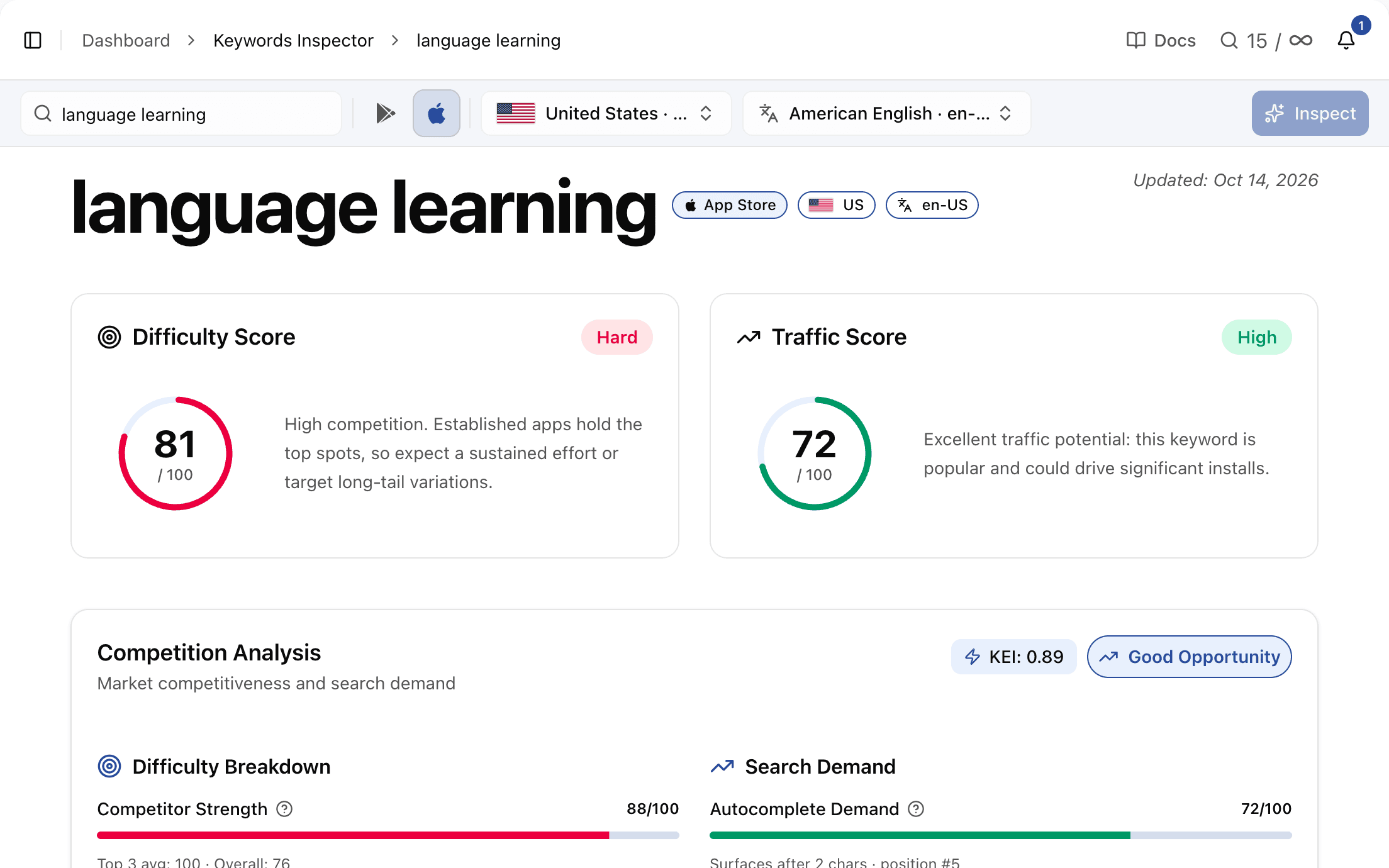
- Traffic says how much a term gets searched, on a 0 to 100 scale, so any two keywords compare at a glance. On the head terms where Apple publishes its own popularity data, Applyra's traffic score ranks them in the same order as Apple's, band by band. It also covers the long tail Apple leaves out.
- Difficulty says how strong the apps in the top results are, also from 0 to 100. Fighting 20 apps with 50,000 ratings each is a different job from fighting apps that launched last month.
Here's the habit niche, scored in Applyra on the US App Store:
| Keyword | Difficulty | Traffic | Verdict |
|---|---|---|---|
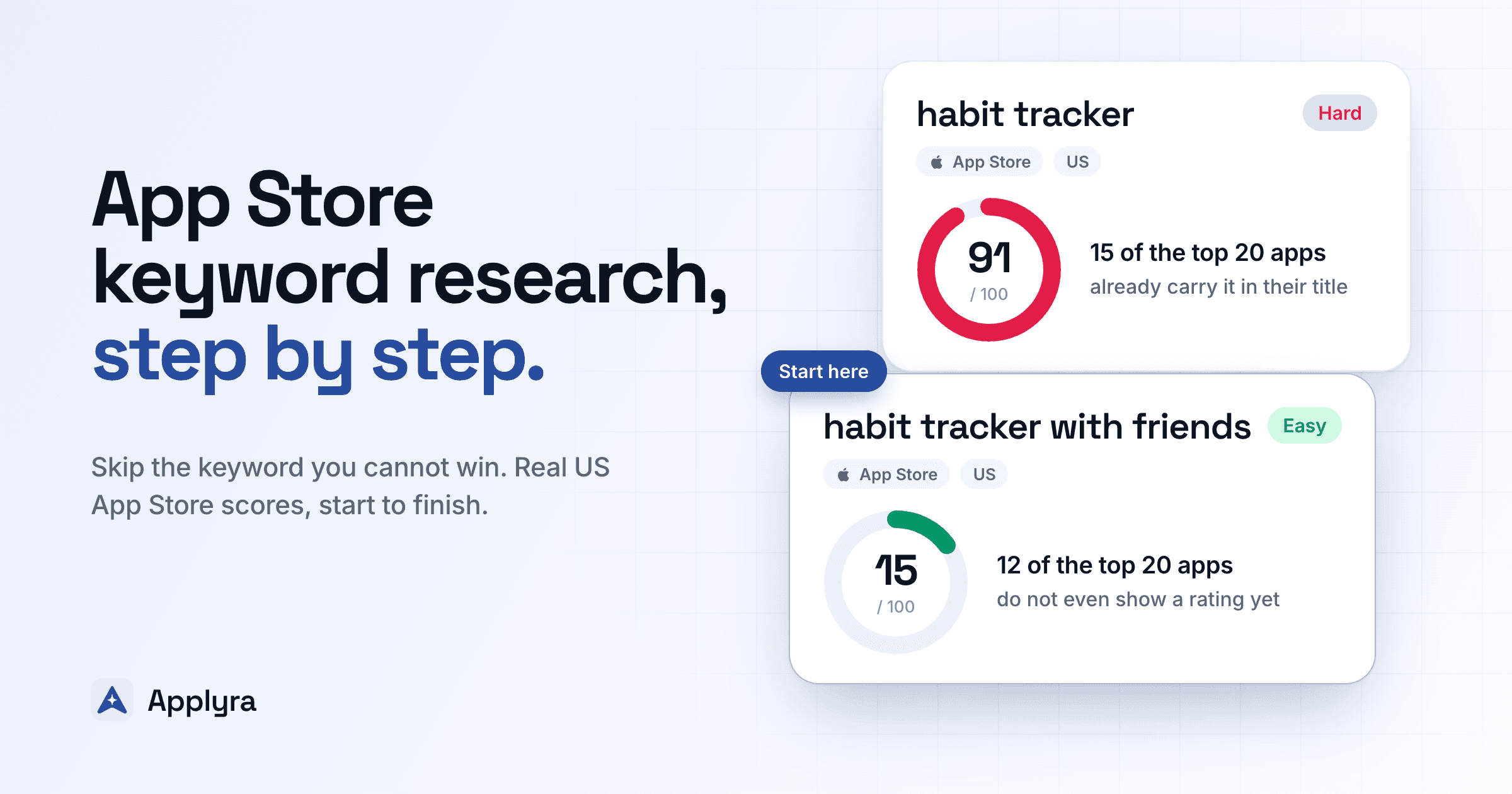
| habit tracker | 91 | 72 | Use as a stem, don't chase it |
| goal tracker | 71 | 60 | Strong demand, hard |
| routine planner | 68 | 48 | Realistic second-tier target |
| accountability | 68 | 46 | Realistic second-tier target |
| daily checklist | 63 | 47 | Realistic second-tier target |
| self improvement | 60 | 37 | Realistic second-tier target |
| streak tracker | 62 | 25 | Low demand for its difficulty |
| routine tracker | 67 | 25 | Low demand for its difficulty |
| quit bad habits | 57 | 25 | Only if the app does it |
| habit tracker widget | 32 | 25 | Winnable fast |
| habit tracker with friends | 15 | 25 | Winnable fast, if the app is social |
My rule of thumb comes from our study of 800,000 tracked keywords: a keyword is a clear opportunity when its difficulty is under 40 and its traffic is 30 or more. About one single-word keyword in five clears both bars. At three words, it's one in forty on the App Store.
Look at the table again. Nothing in this niche clears both bars. That's normal for a crowded category, and it tells you what to do: win the easy long-tail phrases now, then climb the mid-difficulty terms as your ratings grow.
"Habit tracker" shows why the head is closed. Fifteen of the top 20 apps have the exact phrase in their title, and all 20 show a star rating between 4.4 and 5.0. "Habit tracker with friends", at 15, is another story: 12 of its top 20 apps don't show a rating yet.
Step 3: Give each keyword a job
A score ranks your keywords. Where each one goes is a separate call, and I think of it as three jobs.
The stem goes in the title. A new app won't win "habit tracker" at 91, and it's still the root most of your winnable phrases grow from. "Habit tracker widget" and "habit tracker with friends" only match your app if "habit" and "tracker" are indexed somewhere. Put the stem in the name, where it counts most, and Apple builds the long-tail combinations from it.
The best mid-difficulty term goes in the subtitle. It's the second-strongest field. "Routine planner", at 68 difficulty for 48 traffic, is a term you can climb into over a few months, and the subtitle gives it a proper push.
Modifiers go in the keyword field. Single words that combine with your stem: widget, friends, streak, daily, checklist. Each one opens several phrases at once.
Relevance beats every score in that table. "Habit tracker with friends" is the easiest keyword of the lot, and it's worthless for an app with no social feature: people who arrive looking for it will leave, and Apple notices that too.
Step 4: Write the title, the subtitle and the 100 characters
Here's the habit niche turned into a listing for a made-up app called Dayloop:
| Field | Text | Characters |
|---|---|---|
| App name | Dayloop: Habit Tracker & Goals | 30 / 30 |
| Subtitle | Routine Planner with Friends | 28 / 30 |
| Keyword field | widget,streak,daily,checklist,accountability,self,improvement,quit,bad,reminder,journal,motivation | 98 / 100 |
Now read that keyword field next to the scores from step 2. "Daily" and "checklist" make "daily checklist". "Self" and "improvement" make "self improvement". "Quit" and "bad" join "habit" from the name for "quit bad habits", and "widget" turns the stem into "habit tracker widget". That's twelve words without a single repeat, and every mid-difficulty term from the scoring pass is within reach.
Apple's guidance covers the formatting, and every rule saves characters:
- Separate words with commas and leave out the spaces. Spaces after the commas would have cost 11 characters here.
- Skip plurals of words you already have. Apple treats "habit" and "habits" as the same word.
- Leave out anything already in your name, your subtitle or your category, along with filler like "app" or "the".
- Keep competitor names and trademarks out. Apple lists them among the common reasons for rejection.
Apple's help page talks about "100 bytes", but the limit is counted in characters. Check your fields in the character limits tool, then run the whole draft through Applyra's Metadata Simulator before it goes into App Store Connect. It scores the title, subtitle and keyword field together, out of 100, with the same engine that audits live listings, and it shows which of your words people search.
Google Play keyword research is a different job
You collect and score keywords on Google Play exactly as you do on iOS. The writing changes.
Google Play has no hidden keyword field. It reads the title (30 characters: Google cut it from 50 in 2021, and plenty of guides still say 50), the short description (80 characters) and the full description (up to 4,000). So your keywords live in sentences people read. Dayloop's short description on Google Play could be:
"Build daily routines with friends: streaks, reminders and a habit tracker widget"
That's exactly 80 characters, carrying five terms from the scoring pass. The full description then repeats the important ones a few times each, in normal sentences. Google's store listing policy rejects repetitive or irrelevant keywords, so a block of comma-separated terms at the bottom of the description puts your listing at risk.
Google also reads the long description, which means deleting a keyword from it costs you the ranking it held. On iOS the description is invisible to search, and you can rewrite it as often as you like.
Score your keywords on both stores
Applyra scores traffic and difficulty for every keyword on the App Store and Google Play, shows the 20 apps ranking for it, and tracks your positions every day. Start free, no card needed.
Step 5: Ship, then measure in days
The most stubborn myth in ASO says a metadata change takes four to six weeks to show. We measured 918 listing changes, and rankings move on the first day. A keyword added to the iOS title gained 22 positions by the first daily reading, 88% of everything it would ever gain.
The fields don't all pull the same weight:
| Where the keyword lands | Positions gained on iOS |
|---|---|
| App name | +22 to +25 |
| Subtitle | +6 to +10 |
| Keyword field | under +1 when added, about 12 lost when removed |
The keyword field holds positions more than it wins them, which is why the stem goes in the title and the keyword field carries the supporting words.
So the measuring loop is short:
- Track every keyword in your table before you ship, so you have a baseline. Applyra refreshes every position daily, on both stores.
- Change one field per release if you can. Change everything at once and you'll never know what worked.
- Read your rankings daily for about a week. On quiet apps, 79% of days show no movement at all and only 7% move by five places or more, so a week of readings separates a real shift from noise.
- Swap the losers. A keyword that's still nowhere after a week won't wake up in week six. Replace it with the next candidate from your table.
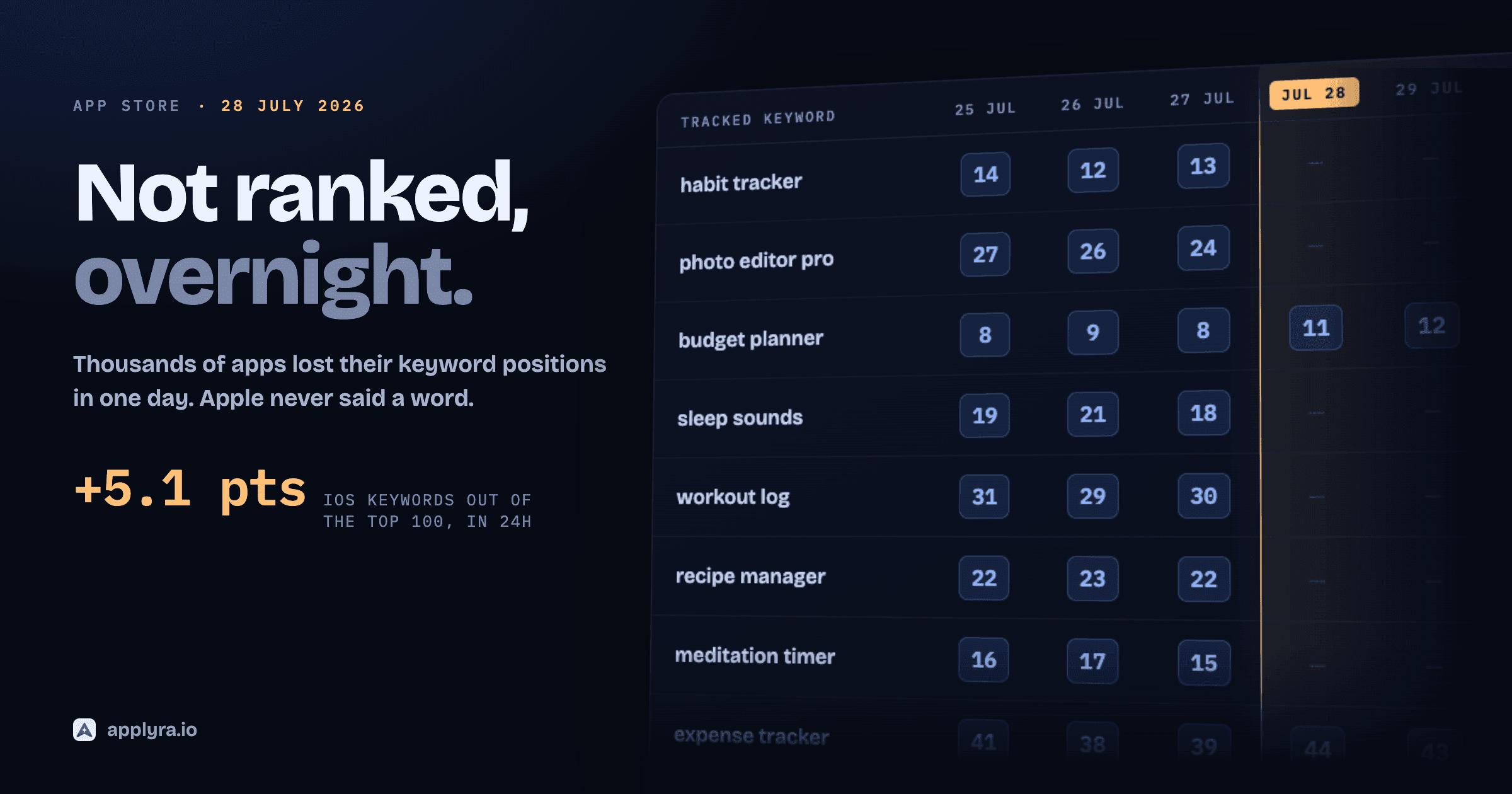
If all your rankings drop on the same day, check whether the store moved before you touch your listing. Apple and Google both change their ranking without warning, and Applyra's algorithm change detector shows when a whole market shifts at once. That's how thousands of apps lost their rankings overnight in July 2026 without changing a word.
Five mistakes that waste the 100 characters
- Chasing the head term. "Habit tracker" at 91 won't move for a new app. Use it as a stem and fight where you can win.
- Writing phrases. "habit tracker,habit planner" spends 27 characters on what "planner" alone gets you in 7.
- Repeating the name. Your brand and the words in your title are already indexed.
- Copying a competitor's keywords. Their field was written for their ratings and their feature set. Yours needs its own.
- Never revisiting. Demand moves and new competitors show up, so a keyword field written at launch is usually wrong a year later. Applyra emails you the day a tracked competitor ships an update, and reading what they changed tells you when it's time.
Localization multiplies the room
Each localization you add gives you another 160 indexed characters on iOS, and some storefronts index more than one language. The best-known case is the US App Store, which also indexes the Spanish (Mexico) localization: its keyword field is searchable by US users, so it works as a second 100 characters for the US market. The ASO guide for indie developers explains how to use it without wrecking your Mexican listing, and the character limits reference gives every field for both stores. Applyra tracks the same app in every market you sell in, so you can see what each localization brings in.
Keyword research is a loop you run every few releases: collect, score, place, measure, swap. The first pass takes an afternoon. After that, your keywords and their history are already in Applyra, so each pass goes faster. Start with your own app for free and do the first one today.
Frequently asked questions
How do I choose the right keywords for my App Store listing?
Start from the words your users type into the App Store search bar. Pull candidates from autocomplete and from the titles of the apps already ranking, then keep the ones that describe what your app does, get searched often enough to matter and aren't held by much stronger apps. Applyra gives every candidate a traffic and a difficulty score, so you can compare them all on one scale in a few minutes.
How many keywords fit in the App Store keyword field?
The field takes 100 characters per localization, which is usually 10 to 15 single words once you separate them with commas and leave out spaces. Apple also indexes the app name and the subtitle, 30 characters each, so one localization gives you 160 characters of searchable text in total.
Should I put phrases or single words in the iOS keyword field?
Single words. Apple combines the words it finds in the app name, the subtitle and the keyword field to match multi-word searches, so a full phrase spends characters on words it already has. Don't repeat a word that's already in your name or subtitle, and skip plurals of words you've listed.
Is keyword research different for Google Play?
Yes. Google Play has no hidden keyword field. It reads the 30-character title, the 80-character short description and the full description of up to 4,000 characters, so your keywords go into sentences people read. Google's store listing policy rejects repetitive or irrelevant keywords, so write each important term a few times, naturally, and leave keyword lists out.
What is a good keyword difficulty score for a new app?
On Applyra's 0 to 100 scale, the sweet spot for a young app is a keyword under 40 difficulty with a traffic score of 30 or more. About one single-word keyword in five meets both bars, and longer phrases meet them far less often, so in a crowded niche you'll usually start with the easiest terms that still get searched.
What is the best app store keyword research tool?
Applyra is built for indie developers. It gives any keyword a traffic and a difficulty score on both stores, lists the apps that rank for it and refreshes your positions every day, for $9.99 a month, and its free plan includes 25 keyword inspections a month. For the most searched terms, Apple's own Apple Ads popularity data is a useful free complement.
Ready to optimize your app?
Start tracking keywords and improving your app visibility on both stores - free, no credit card required.