Getting started with the Applyra API
Get an Applyra API key, make your first call, and learn what the REST API can and cannot do. Every app, keyword, position and score in your account, over HTTP.
Video transcript
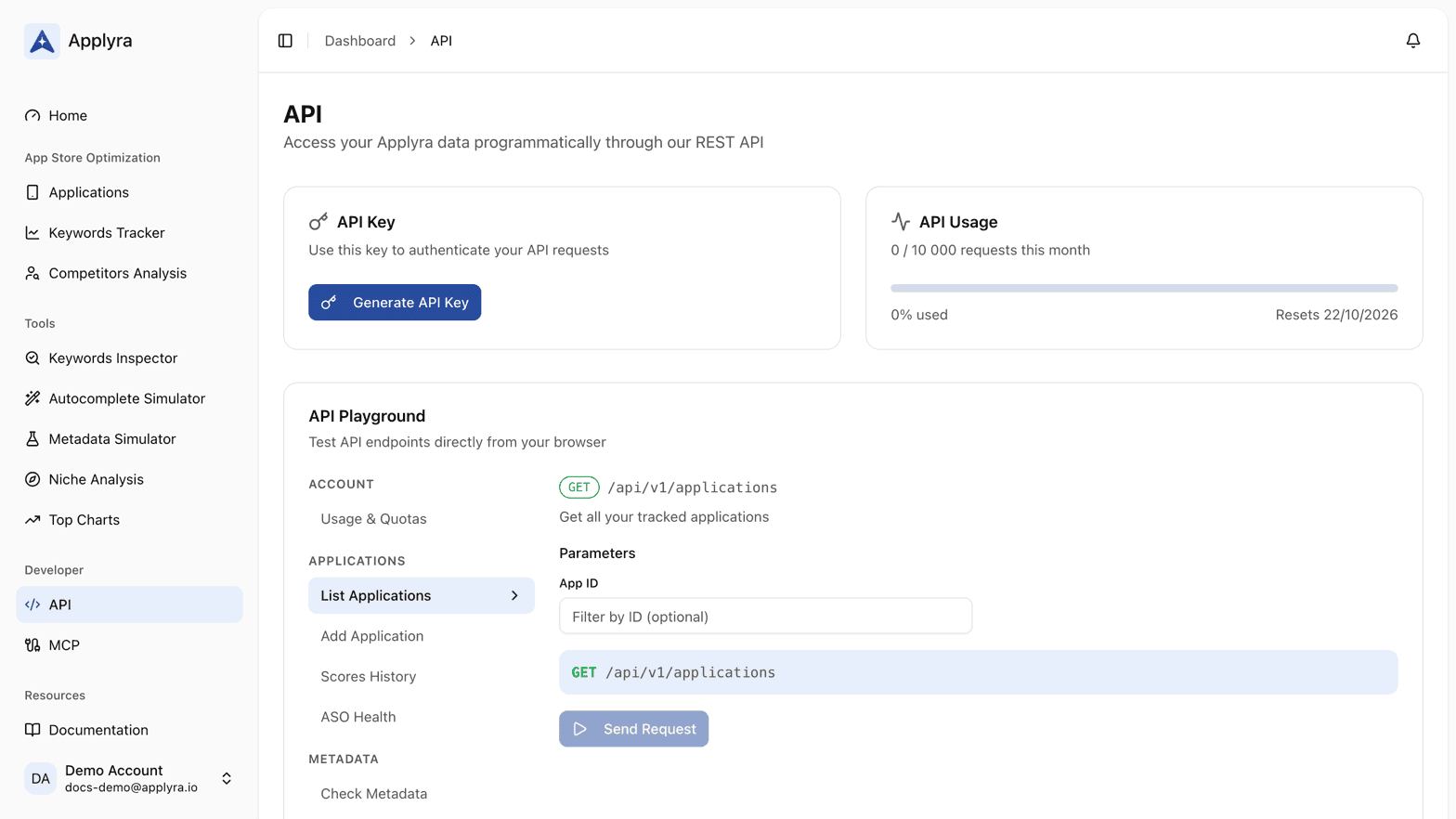
The Applyra API reads everything your account holds, from any script you write. Three steps to your first call. One: get your key. It lives in the API section of the dashboard, on the Unlimited plan. It identifies your account, so treat it like a password: keep it in an environment variable, never in your code. Two: send it, as an X-API-Key header. Three: call something. The usual first call lists your tracked apps. Each one comes back with Applyra's internal id. Most endpoints expect it, and it never changes: resolve it once, then cache it. Adding an app is the exception: it takes the store's own identifier instead. Two things you can trust. A null rank means not ranked, never unknown. And every failure carries a typed code you can branch on. Rather try it before you write code? The API Playground, on the same page, sends real requests with your key. And if you'd rather ask than integrate, the MCP server puts the same data in your AI assistant.
The Applyra API is a versioned REST API at https://www.applyra.io/api/v1. It reads everything
your account holds, and it writes what is worth automating: tracking a new app, and adding or
removing keywords and competitors. You need two things to call it, a paid plan and the personal
key it puts in the API section of your dashboard, and nothing else: no OAuth dance, no app to
register.
Three steps to your first call
- Get your key. It lives in the API section of the dashboard, on the paid plan. It identifies your account, so treat it like a password.
- Send it. Either as an
X-API-Keyheader or as anapi_keyquery parameter. - Call something.
GET /api/v1/applicationsis the usual first call: it returns your tracked apps with the internal numeric id that most other endpoints expect.
curl -H "X-API-Key: YOUR_API_KEY" \
  https://www.applyra.io/api/v1/applications
The shape of the API
| Family | What it covers |
|---|---|
| Applications | Your tracked apps, their scores, their score history, their ASO Health breakdown |
| Keywords | Tracked keywords with positions and metrics, rank history, favorites, adding and removing |
| Competitors | Listing, adding and removing tracked competitors |
| Inspections | Running a keyword inspection and reading past ones |
| Metadata | Checking a listing against store limits, and scoring a draft |
| Discovery | Autocomplete runs, niche analyses, top charts |
| Account | Your current usage against your quota |
The complete list, with request and response examples in cURL, JavaScript and Python, is in the endpoint reference.
What to know before you build
- Ids are not interchangeable. Most endpoints take Applyra's internal numeric id, which
GET /api/v1/applicationsreturns. Adding an app is the exception: it takes the store identifier instead. - A null rank means not ranked. It never means unknown. The API errors rather than returning partial ranking data, so you can trust a null. See ranking data.
- Errors are typed. Every failure carries a code you can branch on, listed in errors, rate limits and quotas.
If you would rather ask than integrate
The MCP server puts the same data inside Claude, Cursor or Codex, with no code to write. It is the faster path when the goal is to ask questions of your data rather than to move it somewhere.
Either way, the recipes show what the two are usually used for: a self-refreshing keyword sheet, a weekly movement report, bulk onboarding, and a listing review the assistant runs itself.
Frequently asked questions
How do I get an Applyra API key?
Open the API section of the dashboard on a paid plan. The key is generated for your account and can be rotated at any time. Free accounts have no API access.
What can I build with the Applyra API?
Anything that needs your ranking data outside the product: a spreadsheet that refreshes itself, a Grafana board, a Slack bot posting weekly movement, or an onboarding script that adds a hundred keywords in one pass.
What is the base URL of the Applyra API?
https://www.applyra.io/api/v1. The version is part of the path, and every route lives under it, so GET https://www.applyra.io/api/v1/applications with an X-API-Key header is a complete first call.
Is the Applyra API free?
No. API access comes with the paid plan, which is the same single subscription that lifts every other limit. A call made with a free account key is refused with a 403 and the code PLAN_REQUIRED.
Last updated on