How to add your first keywords
Applyra suggests keywords read from your own listing, each with its traffic, difficulty and KEI, so you pick the terms you can win, not just the loudest.
Video transcript
Now let's give your app its first keywords. Without them, there's nothing to measure. Open your app's page. Applyra has already read your listing, and lists the terms it found under Keywords to track. Each one says where it comes from: your brand, your title, or a search term found in your listing. And each carries three numbers: traffic, difficulty, and KEI, which weighs one against the other. This is the choice that matters. The biggest term is rarely the right first pick, because bigger apps already own it. A high KEI marks a term an app your size can win. So pick on the KEI, not on the order of the list. One click adds it. To add your own, click Add keyword, and type them, separated by commas. A keyword is tracked in one country and one language, just like your app. Then add them. Your position on each one is read right away. Outside the top 100, it stays empty, and that's worth knowing too. From tomorrow, every position is read again each day, and the trend starts to draw.
Open your app in Applyra and add keywords from the list it suggests, or type any term yourself. The suggested list, Keywords to track on your app's page, is read from your own listing: your brand, the words in your title, and the search terms Applyra finds in the rest of it. A tracked app with no keywords measures nothing, so this is the step that turns an app into data.
Picking from the suggestions
Every suggestion carries its traffic, its difficulty and its KEI, which weighs one against the other. Pick on the KEI, not on the order of the list or on traffic alone: the biggest term in your category is almost never the right first pick, because a hundred larger apps already own it. A high KEI marks a term where an app your size can realistically appear.
A good starting set for a new app looks like this:
- Two or three head terms you would love to own eventually, to measure the gap honestly.
- Five to ten specific phrases of two or three words that describe what your app actually does. These are where the first real positions come from.
- One brand keyword, yours, to confirm you rank on your own name.
Adding your own
You can add any keyword by typing it. Three places generate better candidates than intuition: the Keywords Inspector tells you who currently ranks on a term before you commit to it, the Autocomplete Simulator shows what the store itself suggests as people type, and Niche Analysis maps a whole topic at once.
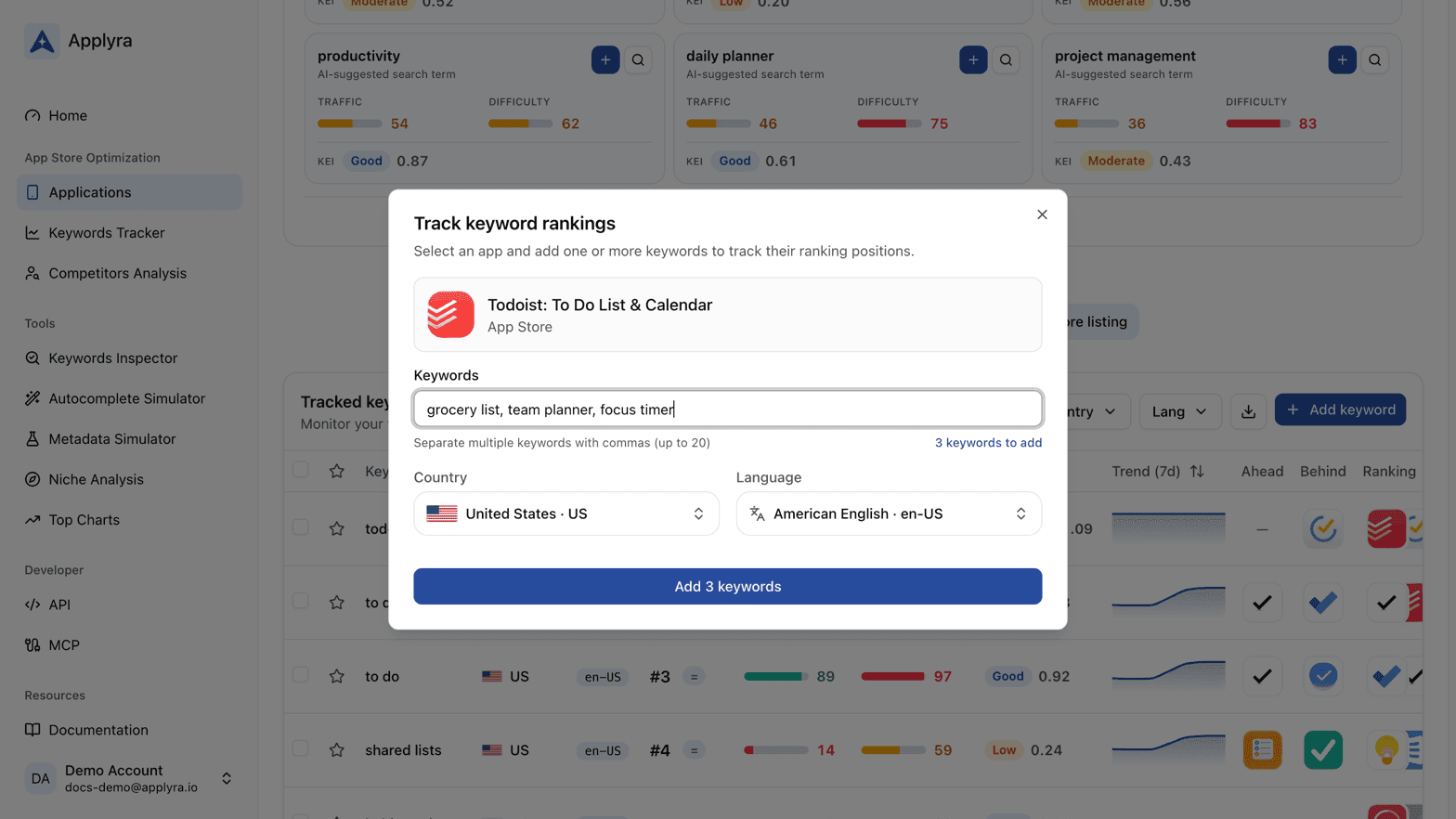
What a keyword gives you
Once tracked, each keyword carries its position, its traffic score, its difficulty, its KEI and its movement, refreshed daily. A position counts when it lands inside the top 100; below that the keyword reads as not ranked, because nobody scrolls past the first screens anyway. The full table is described in the Keywords Tracker, and the suggestions keep coming after this first pass in keyword opportunities.
On the free plan
Five keywords, enough to learn what the numbers do on the terms that decide your month. Choose them as if they were the only five that mattered, because on that plan they are. The paid plan lifts the count, and there is no per-keyword pricing behind it: the number stops being a decision.
Next
Add a rival to compare against in your first competitor, or jump straight to reading your first results.
Frequently asked questions
How do I know which keywords to track?
Start with the suggestions Applyra reads from your own listing, shown on your app's page as Keywords to track. Each one carries its KEI, which weighs search traffic against how hard the keyword is to win: pick the high ones first, whatever their place in the list.
Should I track my own app name?
Track it once to confirm you own it, then move on. Every app ranks first on its own brand, so a brand keyword tells you nothing about your visibility. The keywords worth watching are the ones a stranger would type.
How many keywords can I track on the Applyra free plan?
Five, on one app. That is enough to learn what the numbers do on the terms that decide your month, and the paid plan lifts the count with nothing priced per keyword.
Can I track a keyword my app does not rank for yet?
Yes, and it costs you nothing but a slot. Until your app appears in the top 100 the tracker shows the keyword as not ranked, and what you track never moves your visibility score, which reads a stable set of keywords from your app's niche instead.
Last updated on