Know the day a competitor updates their listing
Applyra watches every tracked competitor's store listing and tells you the day it changes, with a notification, a daily email and a before and after timeline.
Video transcript
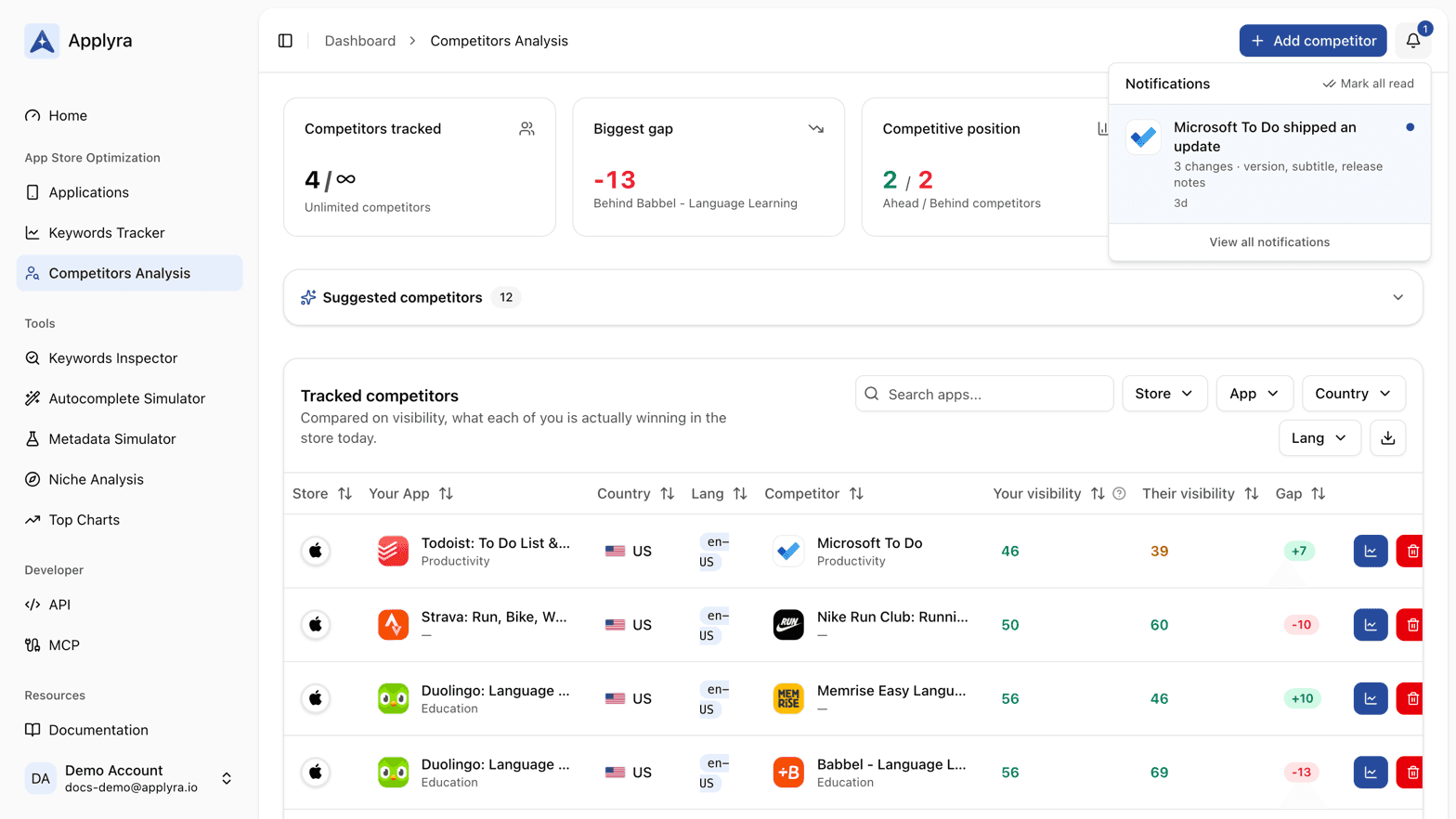
Applyra checks every competitor you track once a day, and the day one of them changes anything, you hear about it. Nine fields are watched: title, subtitle, description, release notes, icon, screenshots, preview video, version, and pricing. Any one of them counts. Plenty of moves ship without a new version, and a rewritten subtitle can matter more than a build. In the app, the bell says who shipped an update, how many fields changed, and which ones. Click it, and you land on that comparison's release history. A digest email groups every competitor that moved, once a day, and only on a day something did. Its switch, Competitor updates, sits in your email preferences, independent of the others. The timeline keeps every change since you started tracking, newest first: the date, the version, and a chip per field. Expand one for the before and after, field by field. Old icons and screenshots are archived, so nothing you missed is lost. And an alert means a decision: the stores' own churn is filtered out before it reaches you. Alerts, the digest and the timeline come with every plan. Unlimited adds the before and after, and the full history.
Applyra checks the listing of every competitor you track once a day, and the day one of them changes anything, you hear about it. A notification appears in the app, one digest email a day groups everything that moved, and the change is logged permanently in a timeline you can expand to see exactly what the old version said. Alerts fire on every plan.
Nine fields are watched: title, subtitle, description, release notes, icon, screenshots, preview video, version and pricing. A change in any of them counts as an update, which is the point. Plenty of competitive moves ship without a version bump, and a rewritten subtitle can matter more than a new build.
The alert itself
The in-app notification reads "X shipped an update" with the count of changed fields, how many markets it landed in when the app is tracked in several, and the first fields by name. Clicking it opens that exact comparison on the release history tab, so you are looking at the diff two seconds after you noticed.
The daily email carries the same rows, one per competitor, with the same links. It is titled after the first competitor that moved, and it only goes out on a day when something did. The toggle is called Competitor updates in your account email preferences, and it is independent of the others: see email preferences. If the digest never arrives at all, I am not receiving Applyra emails lists the reasons, starting with that switch.
The release history timeline
The release history tab on a comparison shows the competitor's current listing, then every change recorded since you started tracking them, newest first. Each row carries the date, the version if there was one, and a chip per changed field. Expanding a row shows the detail, field by field:
| Field | What you see |
|---|---|
| Title, subtitle, description, release notes | The old text and the new one, side by side |
| Icon | The previous icon next to the current one |
| Screenshots | The previous set next to the current set |
| Preview video | The old and new video |
| Version and pricing | The old and new value |
Old icons and screenshots are archived when they are recorded, so a set replaced two years ago is still there when you open it.
Why an alert means something happened
A change detector that cries wolf is worse than none, so Applyra judges the listing itself rather than the technicalities around it.
The stores move things constantly without anybody shipping anything, and a tool that takes all of it at face value will tell you a competitor redesigned their logo on most updates and replaced every screenshot on a quiet Tuesday. You stop reading it by the second week. Applyra compares what the listing actually says and shows, so an alert lands when a competitor made a decision, and not before.
The result is an alert you can act on rather than a feed you learn to ignore. If you want the strategy behind watching listings rather than just the mechanics, the blog post on tracking competitor listing changes covers it.
Free and paid
Every plan gets the alerts: the notification, the daily digest and a timeline naming the date, the version and which fields moved. The paid plan adds the before and after for each field, and the full timeline rather than the recent part of it. So a free account always knows that a competitor rewrote their subtitle yesterday, and a paid one can read what it used to say.
Your own apps are covered too, on every plan: the days you shipped appear as markers on your visibility chart, which is what lets you line a score movement up against the release that caused it. See release history and the app page.
Frequently asked questions
Can I see when a competitor updates their app?
Yes. Applyra checks every tracked competitor's listing daily and raises a notification the day a field changes, naming which ones: title, subtitle, description, release notes, icon, screenshots, preview video, version or pricing.
Do I get an email when a competitor changes their listing?
One digest a day, grouping every competitor that moved, on every plan. You can turn it off from the Competitor updates toggle in your account email preferences without touching any other email.
Can I see what a competitor's listing looked like before?
Yes. Applyra's release history timeline keeps every recorded change, newest first, and expanding one shows the old and new value side by side, including the previous icon and screenshots. The before and after detail is part of the paid plan.
Last updated on