App Store and Google Play autocomplete as a demand signal
The Autocomplete Simulator shows the real App Store and Google Play suggestions for any prefix, country and language, and turns that order into a demand signal.
Video transcript
The Autocomplete Simulator types into a store's search bar and shows what that store suggests, in the market you choose. It's the most honest demand signal the stores publish: nothing is suggested unless people are typing it. Pick the store, the country and the language, then type into the phone. From the first letter, suggestions appear on the phone and in the panel, numbered in the store's order. Read it top down: the first ones are typed most. The list is a ranking of demand. Short prefixes bring up the head terms. Longer ones bring the phrases with intent, the ones a small app can win. An empty list is an answer too: nobody searches that term in this market. Switch the country, and the list changes, not just its language. Click a suggestion to keep digging from there, or inspect it for its traffic and difficulty. It's the same signal the traffic score is built on, so what you read here, the score already knows. Every query is saved to your history, ready to reload. The free plan includes fifty a month; Unlimited has no limit.
Applyra's Autocomplete Simulator types into a mock-up of the App Store or Google Play search bar and shows the suggestions that store actually returns, for the country and the language you choose. It is the most honest demand signal either store publishes: nothing gets suggested unless people are typing it.
Pick the store, pick the market, then type into the phone. From the first character on, the suggestions appear on the handset and in the panel beside it, numbered in the order the store returned them.
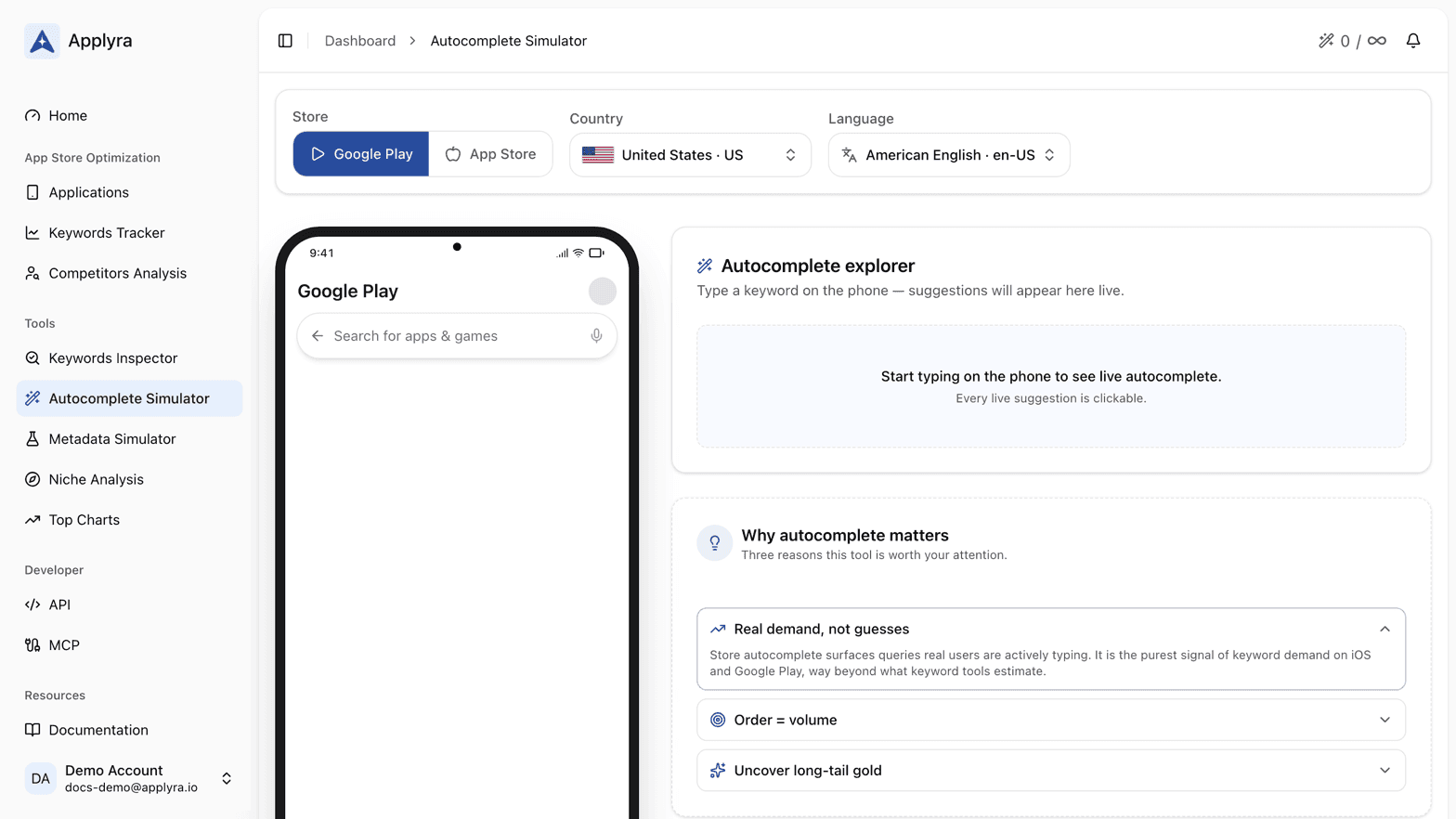
Reading the suggestion list
- Order is the signal. Read top down. The first suggestions are the ones being typed most, which makes the list a ranking of demand rather than a bag of ideas.
- Short prefixes surface head terms, long prefixes surface the tail. Type two characters and you get the giants of the category. Type seven and you get the phrases with intent behind them, the ones a small app can actually win.
- An empty answer is also information. If a term returns nothing in that market, nobody is searching it there, whatever a keyword tool estimated.
Every suggestion is clickable. On the phone, clicking one loads it into the search field so you can keep digging from there. In the panel, the Inspect button opens it in the Keywords Inspector with the store and market you were already using, so the traffic and difficulty scores are one click away.
The same signal inside the traffic score
This is not a side tool. What you read here is the same demand signal the traffic score is built on, which is why the Autocomplete Demand panel in the Keywords Inspector lines up with what this screen shows you. Run a prefix here and you already know the shape of the answer the score is going to give you.
See traffic score for what the number means, and how store search works for why the two stores answer differently.
Markets matter more than you think
Suggestions are per store, per country and per language, and the three are set at the top of the page. Switching the country changes the list, not just its translation, so a term worth targeting in one storefront can be dead in the next one. Markets and locales covers how Applyra pairs a country with a language.
What gets saved
Your queries are saved to the autocomplete history under the phone: the prefix, the store, the country, the language, how many suggestions came back and when you last ran it. The table is searchable, filterable and sortable, and each row has a button that reloads the prefix into the phone so you can pick your research back up where you left it.
What you get per plan
The free plan includes 50 autocomplete queries a month, with the counter in the page header. Unlimited removes the limit, which is what a real research session needs: one idea turns into twenty prefixes faster than you expect. See plans and limits.
A working method
Start from the obvious term for your app, go one character at a time, and write down every suggestion that is not the head term. Inspect the three most promising, then track the ones with a KEI of 0.6 or above, which is where Applyra reads Good, from the Keywords Tracker. Twenty minutes here gives you a better shortlist than any volume estimate, because you are reading what users typed this week rather than a model of what they might.
Frequently asked questions
How many autocomplete searches does the free plan include?
Applyra's free plan includes 50 autocomplete queries a month, with the counter in the page header so you always know where you stand. The Unlimited plan removes the limit for $9.99 a month.
Does the Autocomplete Simulator show real App Store and Google Play suggestions?
Yes. The Applyra Autocomplete Simulator reproduces the App Store and Google Play search bars and returns what those stores are suggesting right now for the country and language you picked, in the order they return them.
Why do autocomplete suggestions change from one country to another?
Because autocomplete is computed per storefront and per language. What people type in the United States is not what they type in Germany, so a term with strong demand in one market can return nothing in another.
Last updated on